Form Builder Enhancements - Restrict dates, times, and multi-select choices
9 October 2026
Mobile AppMobile UsersAdministrators
What’s new
Date and time limits
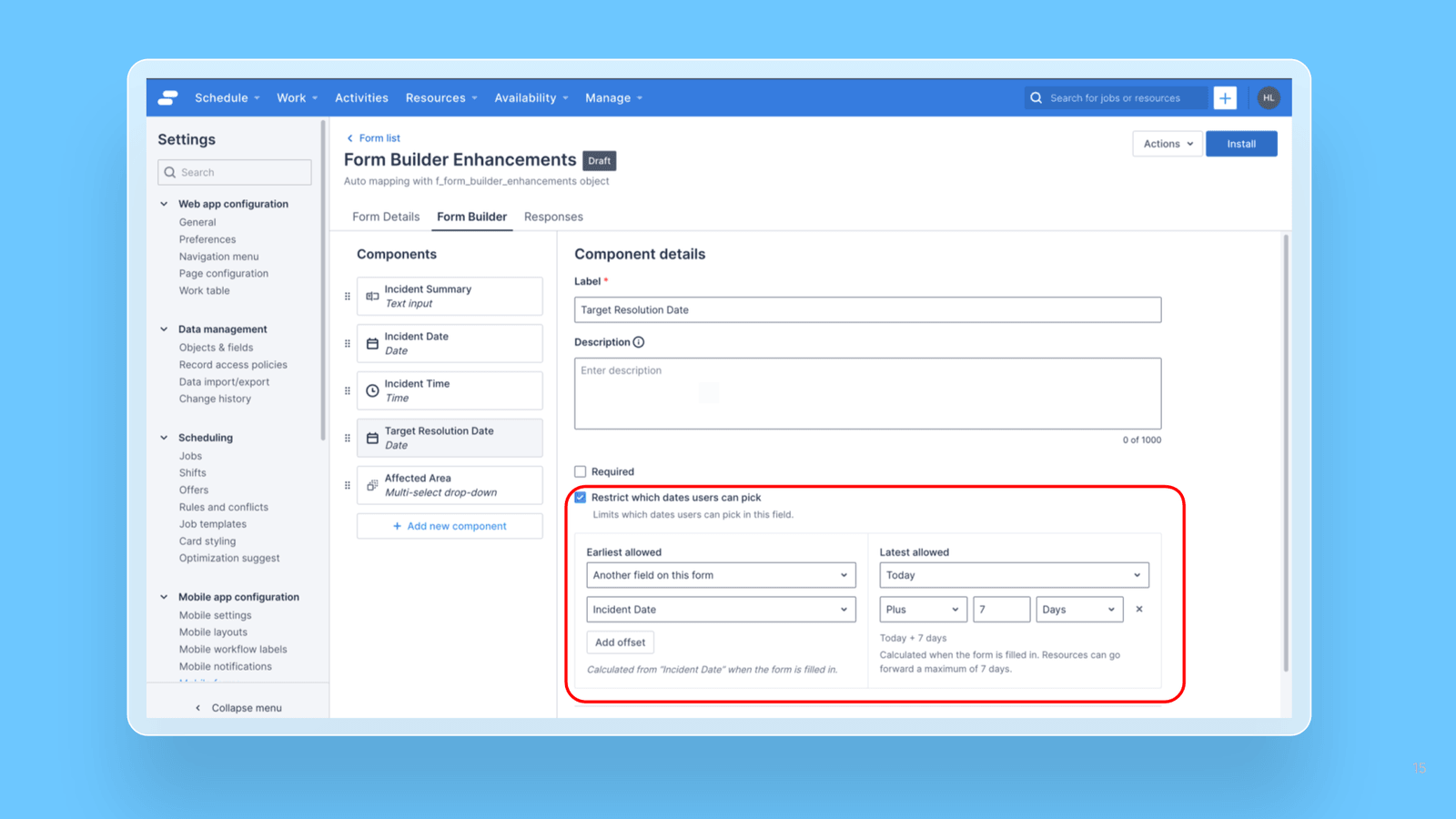
Earliest and latest allowed values: Set a minimum, a maximum, or both on any Date or Time component. Mobile users will only be able to select the date within this range.
Flexible anchors: Base each limit on Today (or Current time for Time components), a specific date or time, or another date or time field on the same form.
Optional offsets: Shift a limit by days, months, or years on Date components, or by minutes or hours on Time components. For example, the latest allowed date can be Today + 7 days. Time limits always stay within the same day.
Local timezone support: Today is calculated in the Resource’s local timezone, so users in any region can always enter their own current date.
Multi-select limits
Minimum and maximum selections: Set how many choices a Resource must or can pick, such as at least 2, at most 3, or exactly 3. A summary line in the editor shows the rule at a glance.
Works with or without Required: A minimum of 1 or more means the field can’t be left empty on mobile, even if Required is turned off. A maximum on its own never forces a selection.
Built-in checks: Form Builder stops you from saving limits that can’t work, such as a minimum higher than the maximum or a limit greater than the number of choices. When you publish, it checks again in case choices were removed after the limits were set.
On mobile
When a Resource enters a value outside the allowed range, the field shows an error that explains the limit, and the form can’t be submitted until the answer is fixed.
This helps teams capture accurate data at the point of entry, for example making sure support workers record visits only for today or earlier, or that task forms include every required detail.