




Important
When upgrading to this version, if you have skipped any previous releases, please use the installation links below to proceed as usual. However, we recommend reviewing the release notes for the skipped versions to familiarise yourself with new features, issue fixes, and to ensure compatibility and correct setting requirements.
Compatibility
This package version requires the following mandatory packages in place before installation.
- Skedulo Core Package: 102.56+
- Lumary: 19.3.5+
- Skedulo AU Healthcare: 1.255+
- 2cloudnine Payroll: 1.223.2+
- 2cloudnine Time2Pay Extension: 1.201+
- 2cloudnine Payroll Base General Ledger Extension: 1.54+
Important – There are upgrades in the package compatibility compared to the last release. Please carefully follow the above before the installation.
What’s New
Populating New Fields in Timesheet Entries
- New versions of the 2Cloud9 packages introduce two new fields in the Timesheet Entry object:
- Entry Start Date / Time (Entry_Start_Date_Time__c)
- Entry End Date / Time (Entry_End_Date_Time__c)
- When a timesheet is approved in Skedulo, the current process that builds out the Timesheet Entries in 2Cloud9 will automatically populate data in the two new fields.
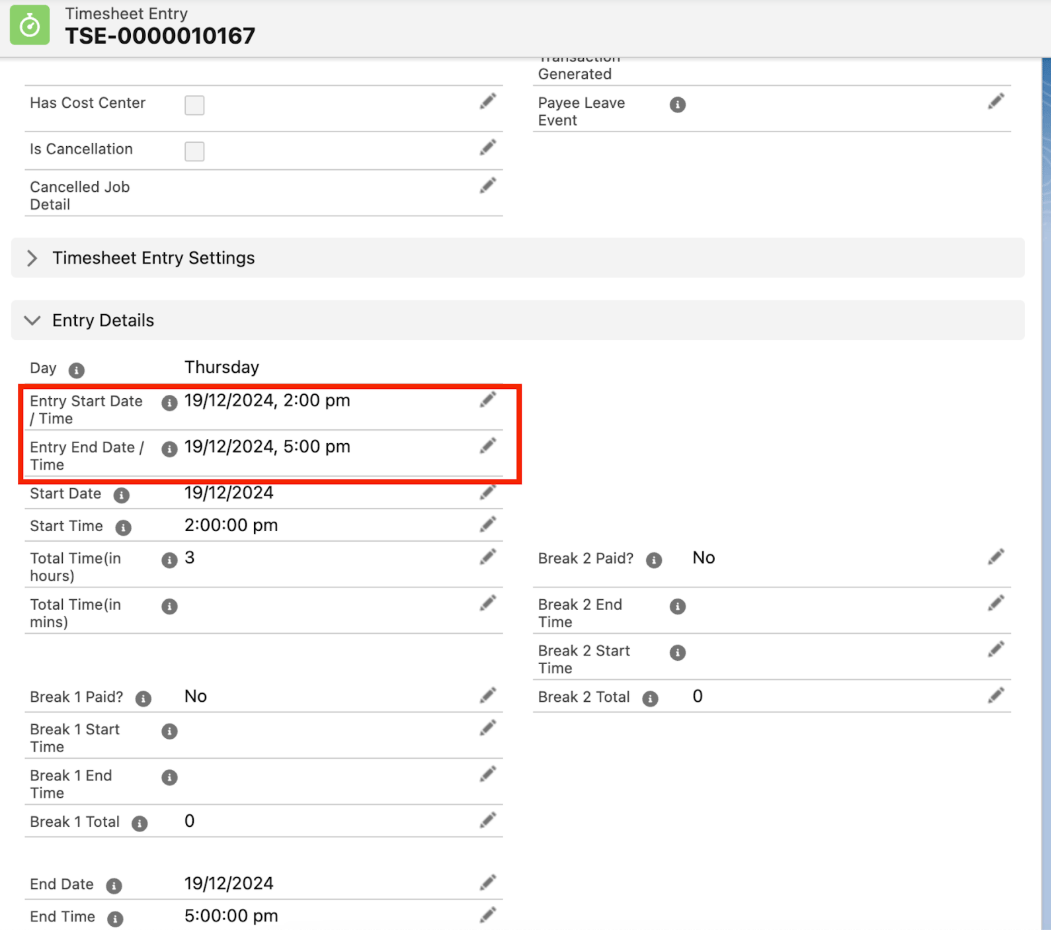
Technical Notes:
- The populating logic is provided by 2Cloud9 and as below:
if(tse.Start_Time__c != null && tse.End_Time__c != null){tse.Entry_Start_Date_Time__c =Datetime.newInstance(tse.Start_Date__c, tse.Start_Time__c); tse.Entry_End_Date_Time__c = Datetime.newInstance(tse.End_Date__c, tse.End_Time__c); System.debug(‘tse.Entry_Start_Date_Time__c DATE: ‘+tse.Entry_Start_Date_Time__c);}
Issues Fixed
- The issue has been fixed whereby when timesheets are submitted or approved in Skedulo, the validation check also accounts for the two settings Resource Category Field & Sync Resource Categories to not create timesheets in 2Cloud9 for the invalid resources.
- The issue has been fixed whereby when timesheets are submitted/approved, the timesheet allowance records in 2C9 Timesheet were not populated with the project codes.
- A new setting has been added: Setup > Custom Settings > Sage Integration Settings > Enable Allowance Project Code (default “True”).
- Set the value to “True” to enable populating the project codes for allowances.
- The issue has been fixed whereby if the setting Leave Calculation Method is set to “Fixed”, no leave events would be generated if the associated unavailability was on the weekends, hence leave events also failed to be sent to 2C9 upon timesheet submission.
- A new setting has been added: Setup > Custom Settings > Sage Integration Settings > Exclude Days in Week (default “Sat, Sun”).
- When the setting Leave Calculation Method is set to “Fixed”, set the value of new setting Exclude Days in Week to the days of the week that leave events do not need to be generated on those days (the value can be left blank), instead of hard-coding the days to weekends.