


Important
Lumary Compatibility: This version of the AU Healthcare Package is compatible with the following Lumary packages. These Lumary packages must be installed prior to updating the AU Healthcare Package.
Contact Lumary for the following package upgrades.
- Lumary: 19.3.19 or greater
- Enrite Services: 1.307
Skedulo Compatibility: This version of the AU Healthcare Package is compatible with the following Skedulo packages. This version of the Skedulo Package must be installed prior to updating the AU Healthcare Package.
- Skedulo: 102.54 or greater
What’s New?
The Time of Day check is now available when creating a recurring job series.
When Services_Time_Of_Day_Check is set to Warning
•There will initially be a check on whether the original job of the series violates Time of Day. If there is a violation, a warning will be displayed, where you can either ignore the warning and continue the recurring job creation process, or accept the warning and stop the process. If you choose to ignore the warning, you can choose how to proceed with the Time of Day violations on future jobs using the following options:
◦ALL JOBS: Ignore the Time of Day conflicts, create all of the jobs.
◦COVERED JOBS: Only create Jobs whose dates/times correspond to the Time of Day on the related Service
◦NO JOBS: Do not create any of the jobs scheduled
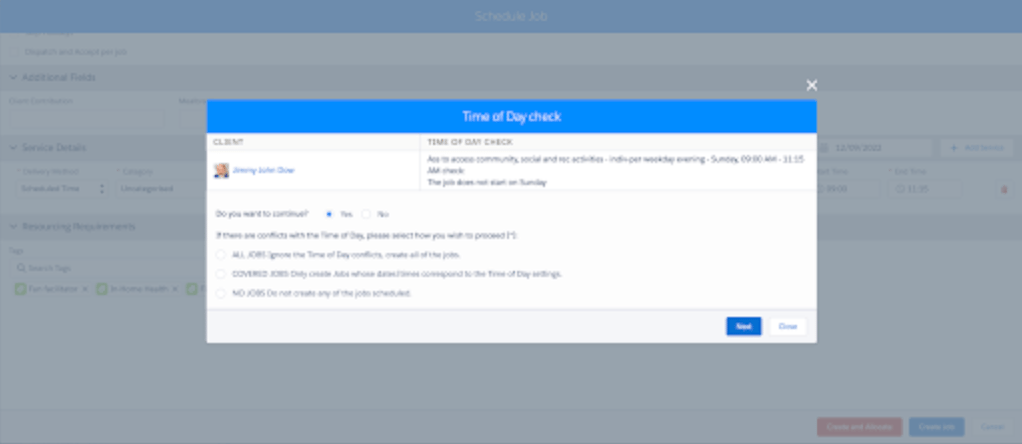
- If there is no violation on the original job, no warning will be displayed, and you can immediately start choosing how to proceed with the options above.
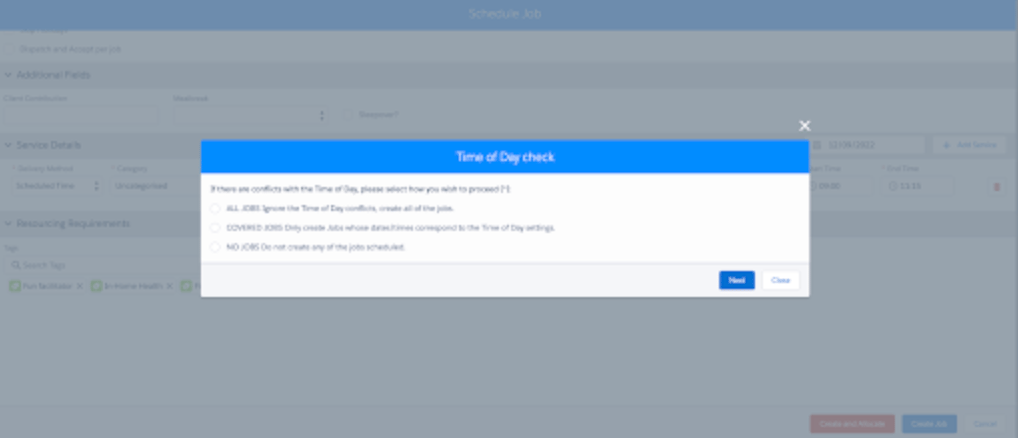
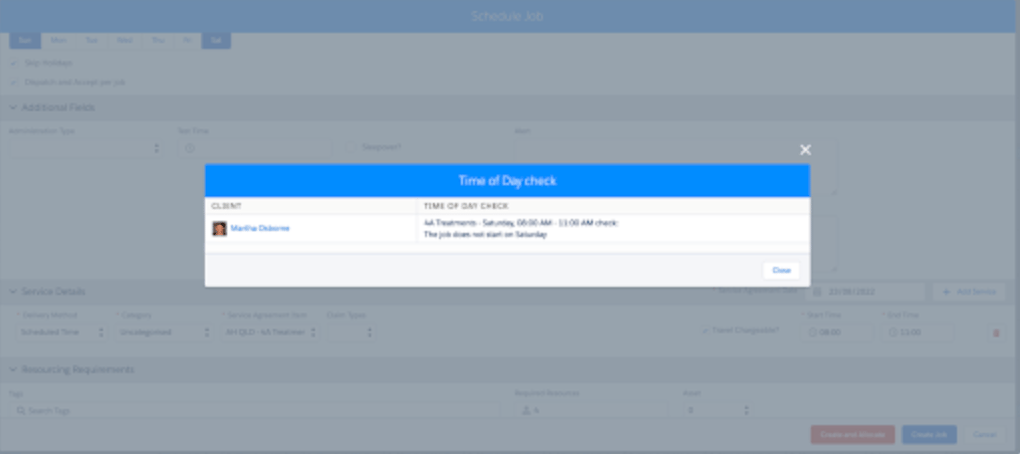
When Services_Time_Of_Day_Check is set to Restrict
- The system will first check if the original job of the series violates Time of Day. If there is a violation, a popup will appear to inform, and you will not be able to continue the recurring job creation process.
- If there is no violation on the original job, you can immediately start choosing how to proceed with the Time of Day violations on future jobs using the following options:
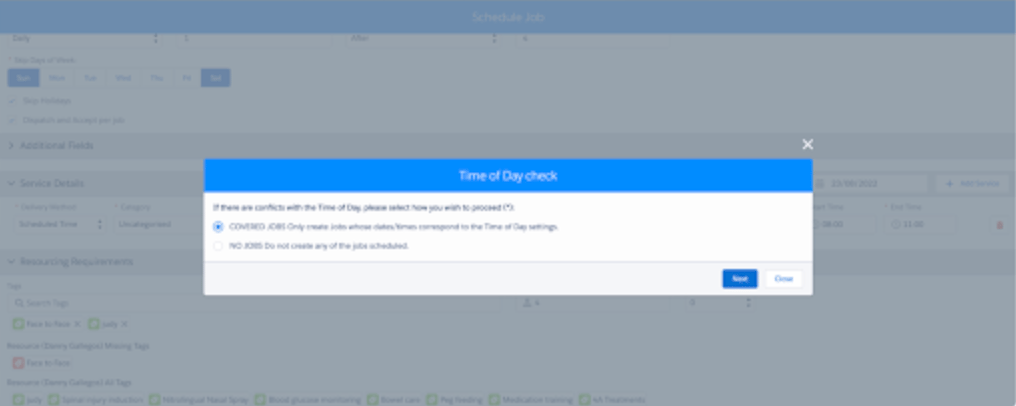
When Services_Time_Of_Day_Check is set to None, Time of Day will not be checked.
After the process is complete, an email will then be sent out that contains a list of recurring jobs with the corresponding Time of Day violation.
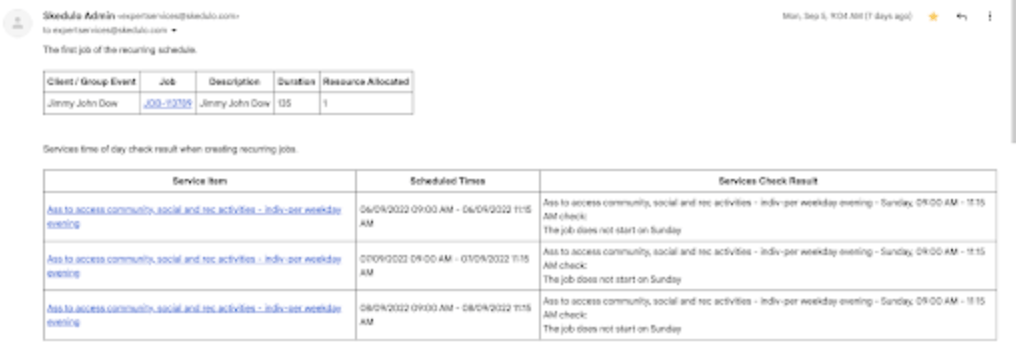
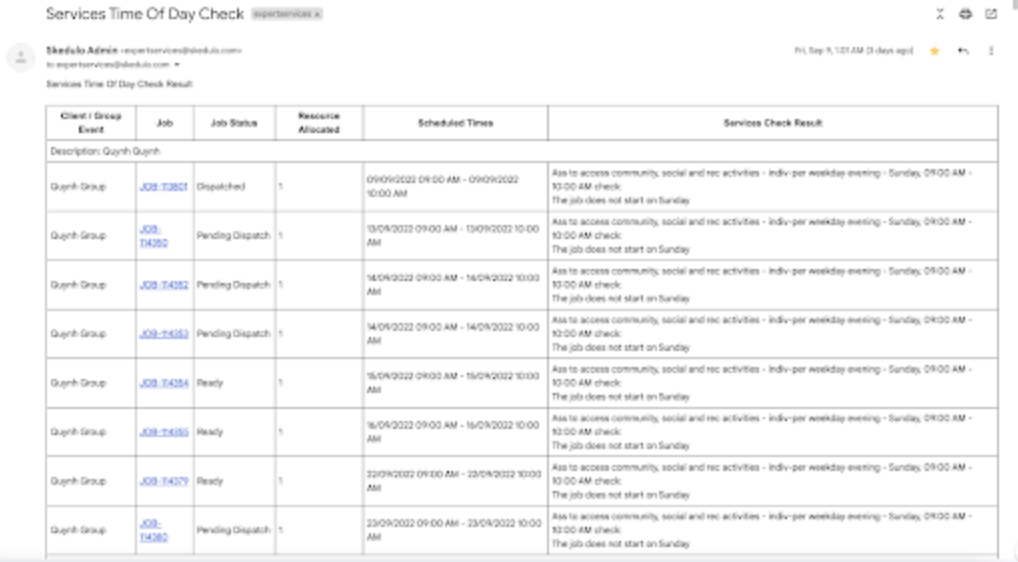
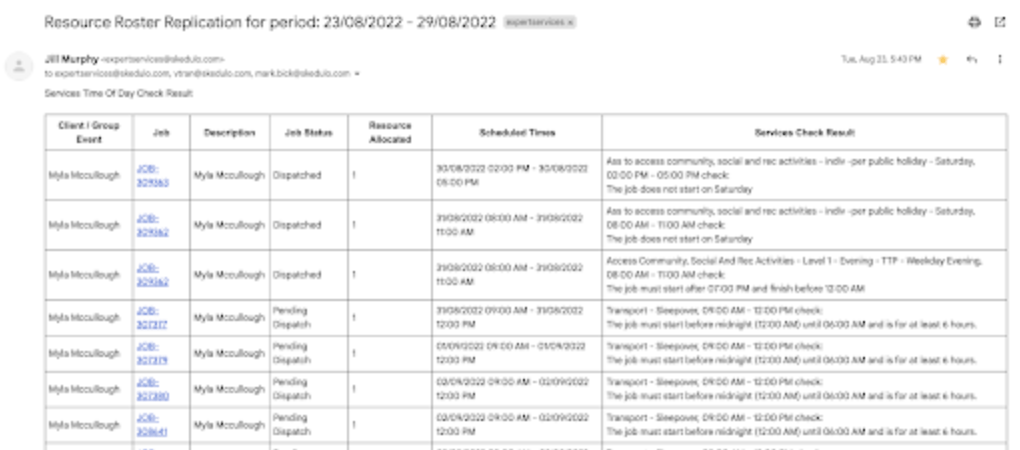
The daily service and Resource Roster Replication Time of Day email have been reformatted to:
- Include a new Client / Group Event and Resource Allocated columns
- Remove the Job Service Item column
A new custom setting has also been introduced: Service_Time_Of_Day_Check_Email_Fields.
This setting can be used to add up to 2 additional fields (e.g., Location, Region, Description) to the email next to the Scheduled Times column.
Daily service Time of day email:
Resource Roster Replication Time of Day email:
Issues Fixed
- When scheduling/editing a single or group event job, changing the Jobs duration no longer automatically changes the Quantity of line items to the same number.
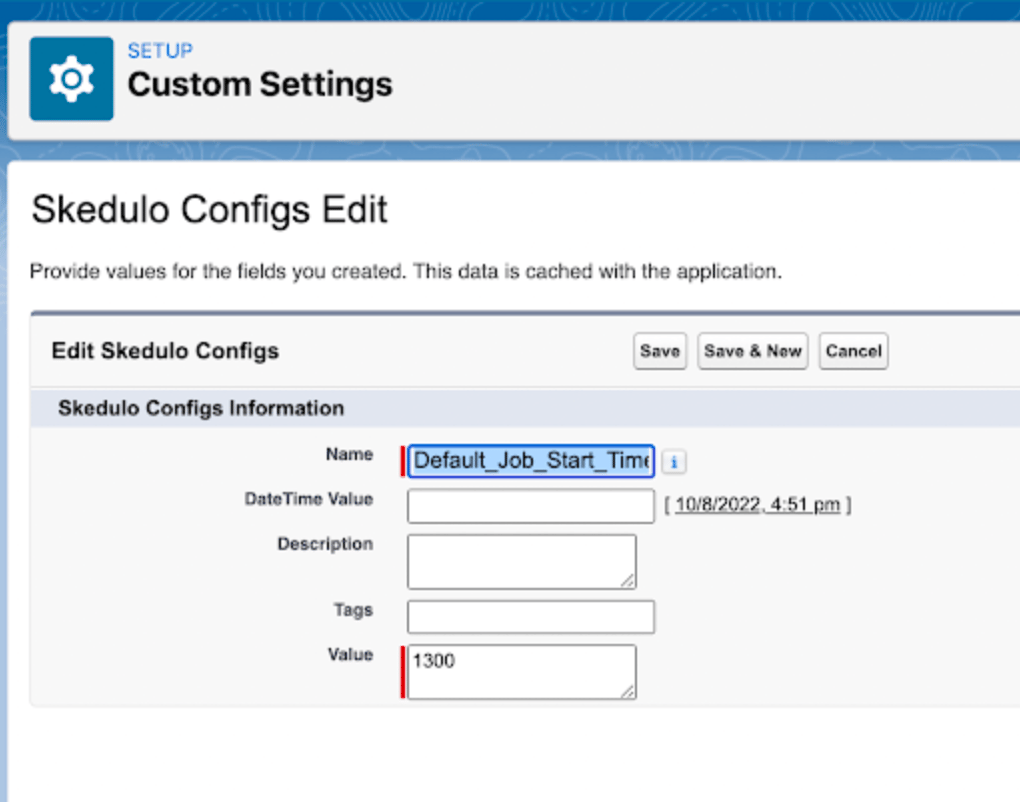
- The custom setting Default_Job_Start_Timenow applies to all console for when scheduling a job
Manual Installation Links
Important
Additional Install Component: If you are upgrading from version 1.39 or less this version of the AU Healthcare Package requires the installation of an additional component. Installation is required to enable certain core functionality
Refer to the AUHC Additional Install Component page for further details and steps to perform the installation.
Manual Installation Links
Sandbox:https://test.salesforce.com/packaging/installPackage.apexp?p0=04t8W000003B8Li
Production:https://login.salesforce.com/packaging/installPackage.apexp?p0=04t8W000003B8Li
Please note: You must be a Salesforce Administrator to install this package.