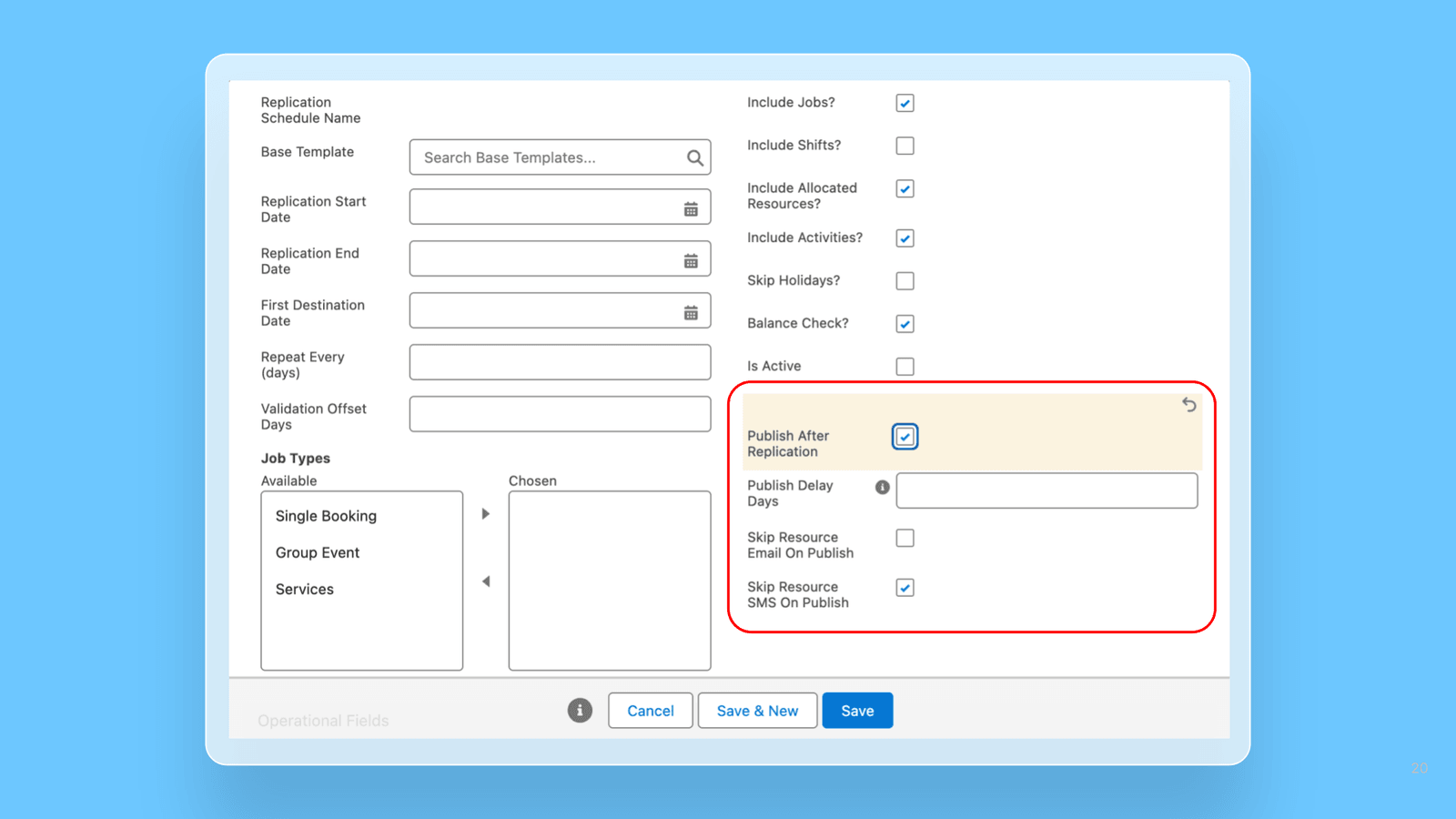
Automatically publish rosters after replication completes: Rosters can now publish automatically once replication finishes, with configurable publish delay and email/SMS notifications, removing manual publishing each cycle.
Scheduled end-of-day Service Delivered creation: A new EndOfDay trigger creates Service Delivered records for the day's completed Jobs in a single scheduled batch, avoiding double-processing of Jobs already handled by other triggers.
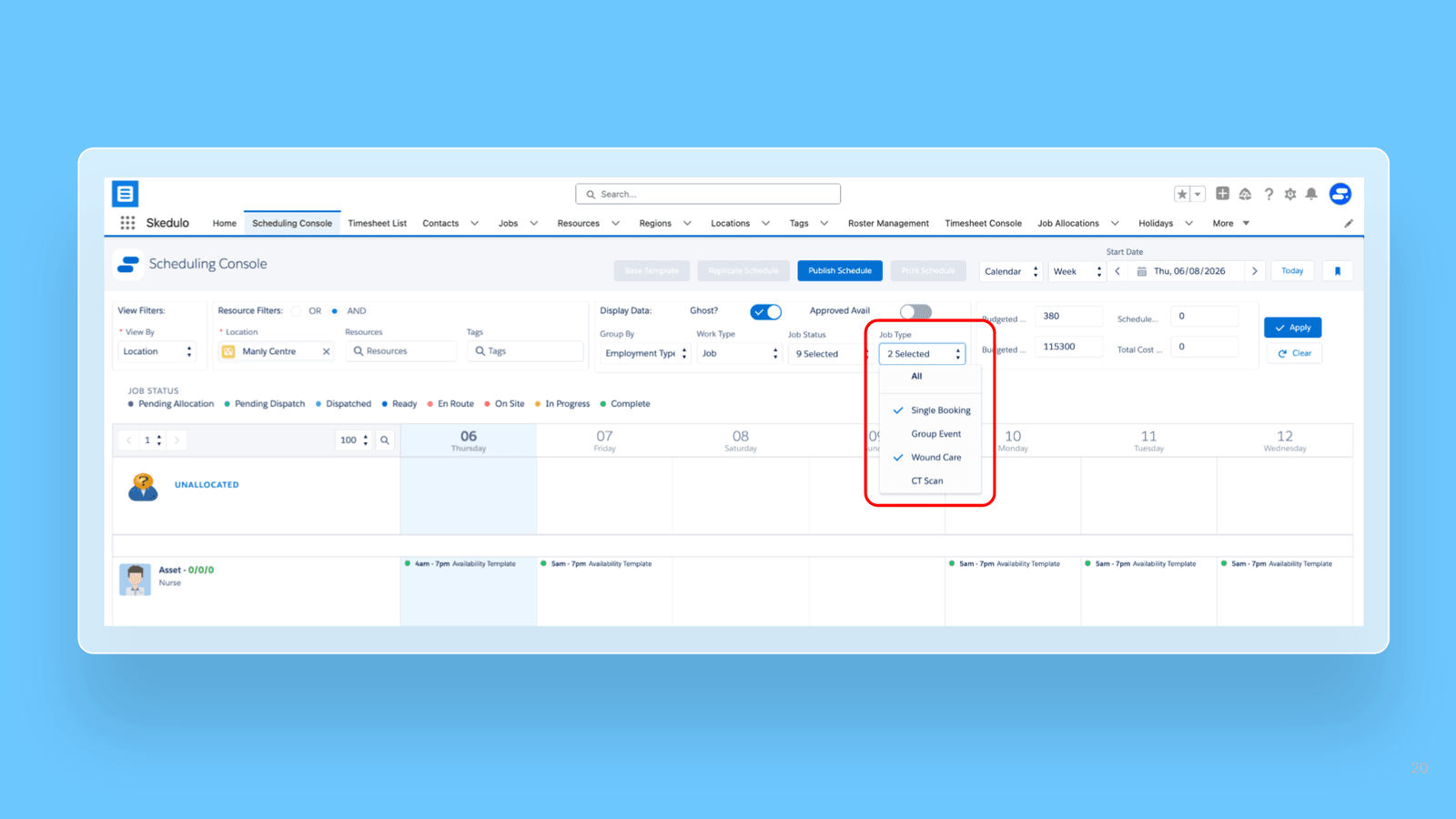
Scheduling Console can now be filtered by Job Type: Letting schedulers focus on just the work their team owns — such as Single Bookings only — instead of scrolling past every other business unit's Jobs. Because Publish and the schedule actions respect the active filter, schedulers can dispatch their own slice of the roster with confidence that they aren't touching anyone else's work.
Faster Job Edit and Job Allocation modals: The Allocation modal now loads Resources with pagination and the Edit modal no longer pre-fetches Resources, cutting load times significantly in orgs with large datasets.
Sort Resources by on-shift status: In the Scheduling Console, clicking a day column when viewing by Location now surfaces Resources with allocations at the top, making it faster to see who is on shift.
Non-Lumary user detection via Custom Permission: A new Is_Non_Lum_User Custom Permission reliably identifies non-Lumary users, replacing a license check that could fail for Community Users with restricted access.
Roster replication now supports 1-day periods: Replication across the Resource Management, Resource Roster, and Scheduling Consoles now accepts a single-day period, removing the previous 2-day minimum for faster roster turnover.
Availability Templates in the Scheduling Console: Recurring availability patterns defined via Availability Templates now appear in the console alongside regular Availability records, with their distinct visual style.
Automatic daylight saving adjustment for Job Service Items: A new org-wide rule automatically adjusts Job Service Item times across DST changes for all job flows, with the default preserving current behavior until opted in.
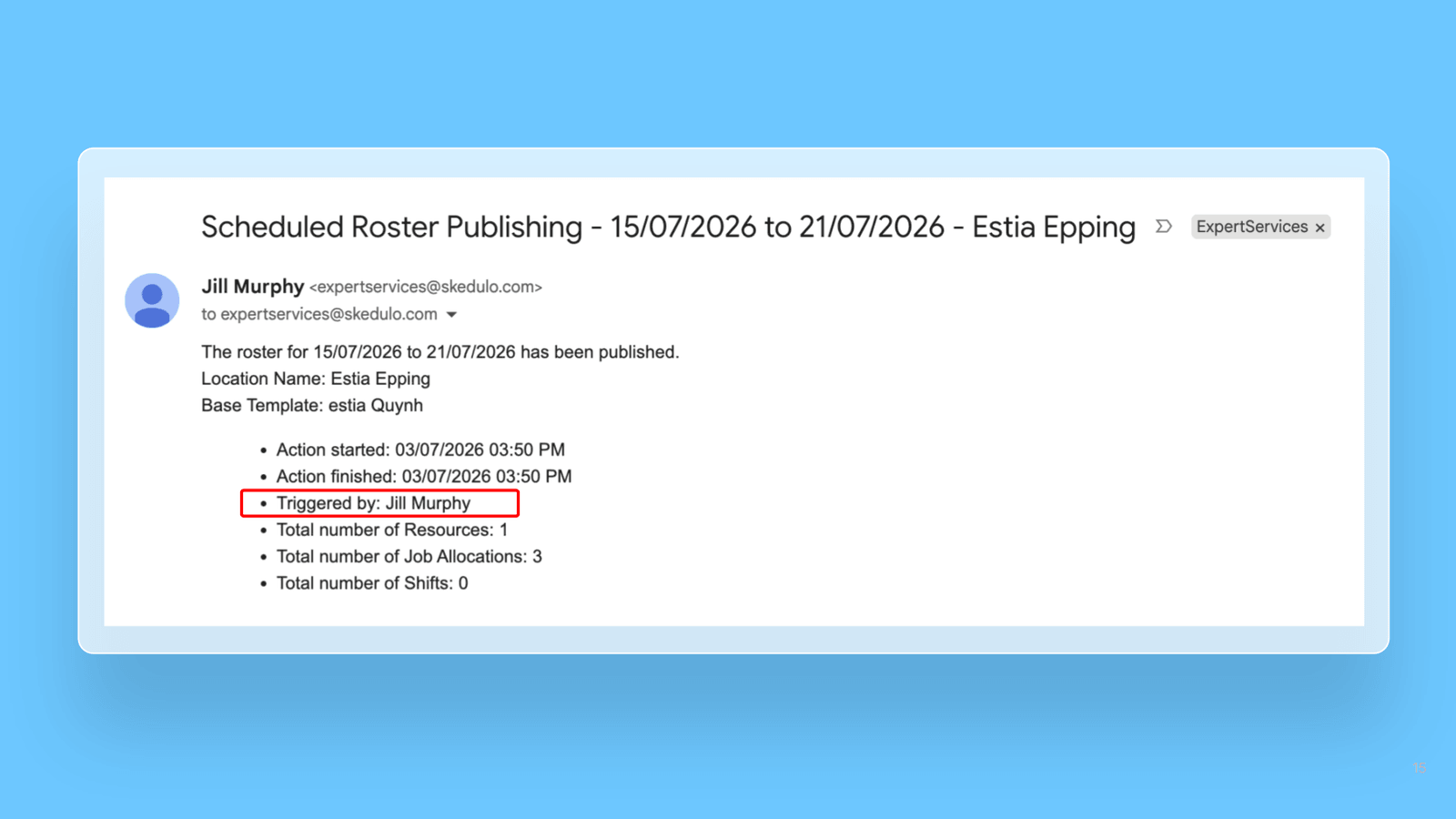
Roster publishing emails now show who triggered the action: The "Triggered by" field now names the actual user, the person who clicked Publish or configured the scheduled job, instead of the generic "Scheduled Publishing" text.
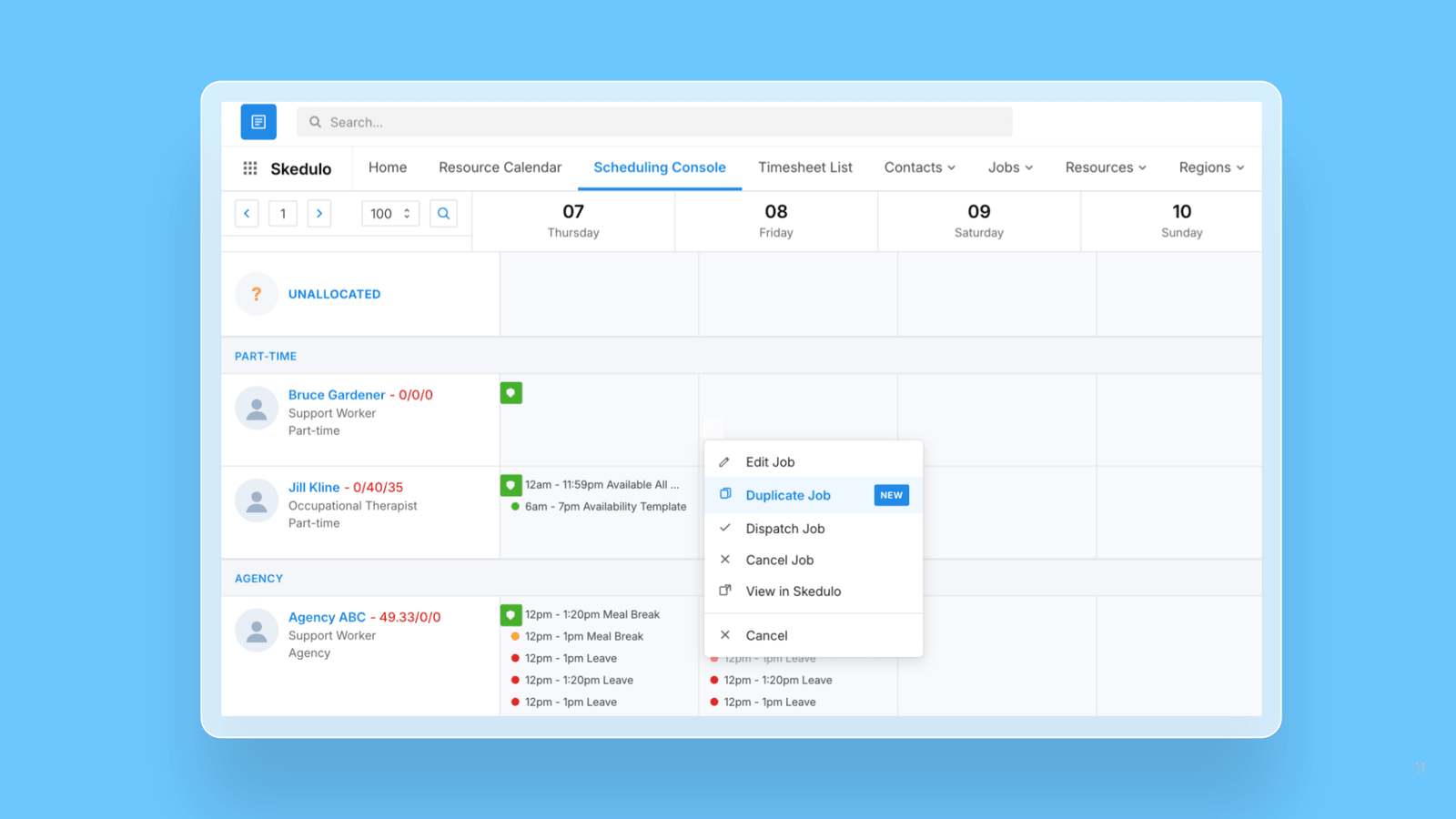
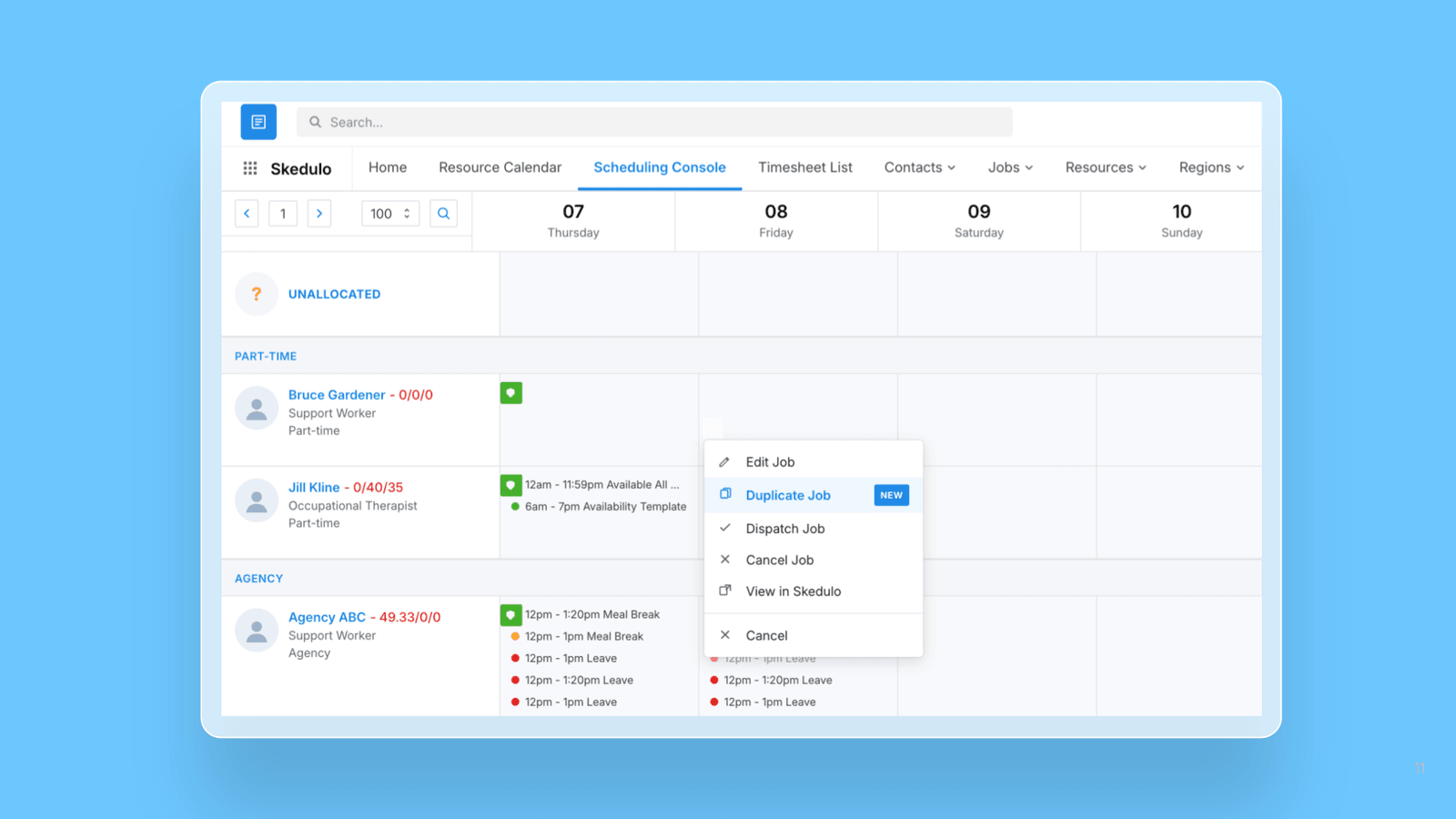
Duplicate Jobs in the Scheduling Console: Schedulers can now right-click a Job and select Duplicate Job to create a pre-filled copy, removing repetitive re-entry when creating similar Jobs.
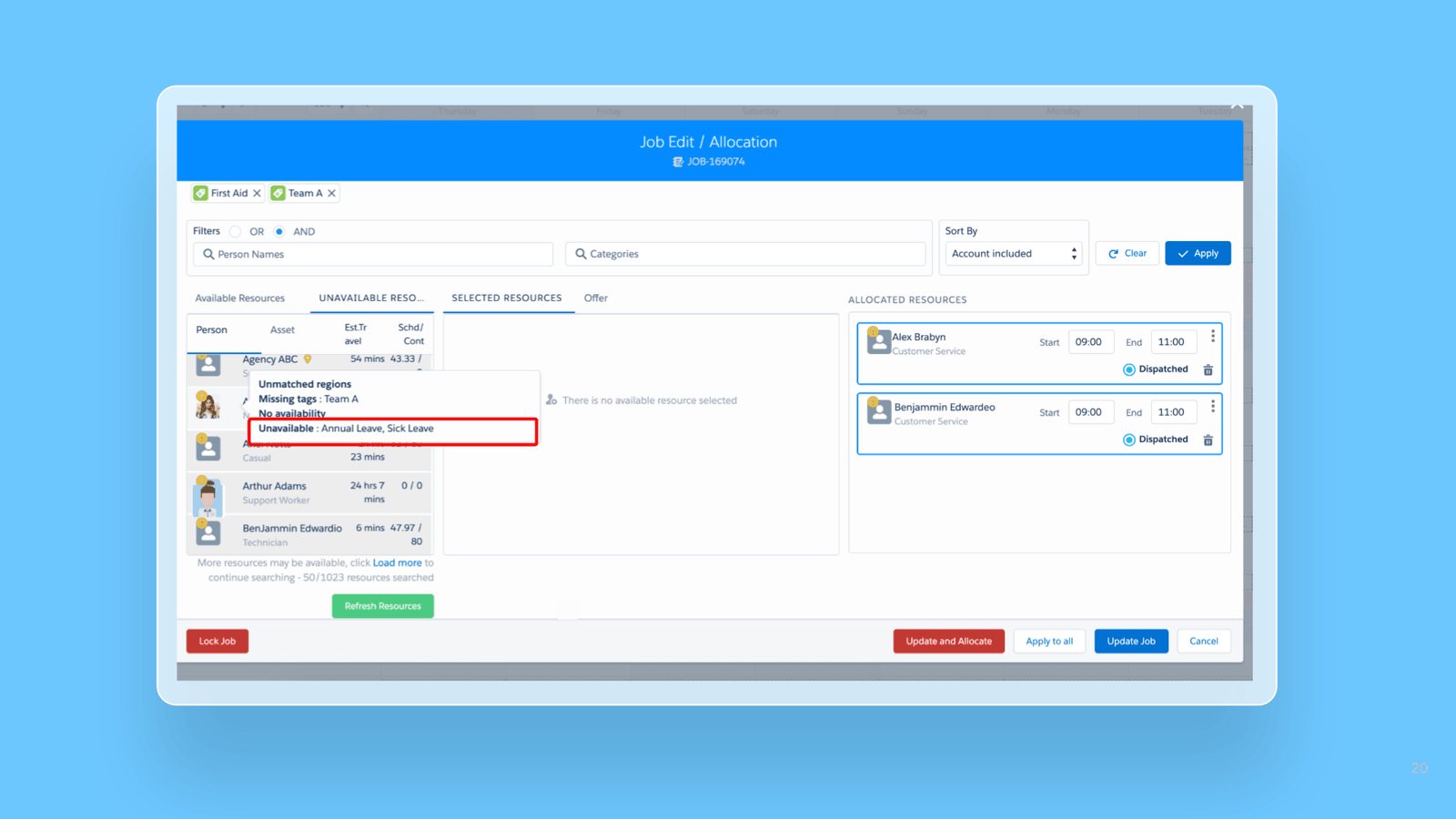
See why a Resource is unavailable in the Job Allocation modal: The modal now shows the specific availability reason, such as "Sick Leave," so schedulers can decide up front whether to send an offer.
Exclude display-only activity types from scheduled hours: Scheduled-hours totals can now be controlled with inclusion or a new exclusion mode, so display-only activity types no longer inflate the count.
Bug fixes and updates
Service Delivered record not created on Job cancellation: Fixed an issue where cancelling a Job did not create a Service Delivered record even when all creation conditions were met (Create_SD_On_Cancelled_Job = true and the cancellation reason was not in the exclusion list).
All-day Availability duration incorrect: Fixed the calculation of all-day Availability duration, which previously resulted in 23h 59m or 0 minutes instead of the correct 24 hours.
All-day Unavailability color not applied in Resource Roster Console: Fixed an issue where all-day Unavailability entries displayed white text instead of respecting the colors configured in Shift Type Settings.
Allied Health Calendar console improvements:Fixed an issue in AHC where selecting "Single booking" after completing a Group Event job incorrectly displayed the Group Event modal with previous template data pre-selected.Fixed an issue where reloading the Allied Health Calendar with a saved filter did not correctly re-apply the Job Status filter, causing jobs of all statuses to display instead of only the filtered status.Fixed an issue where all-day Shifts starting at midnight were not rendered on the Allied Health Calendar.Fixed an issue where all-day activities were visually shrinking instead of expanding to fill the full column width when there were no overlapping events.
Publish email label incorrect: Corrected the publish summary email label from "Total number of jobs" to "Total number of Job Allocations" to accurately reflect the value being reported.
Disregard All Tags no longer shows Missing Tags reason: Fixed the issue where ticking Disregard All Tags when finding resources for a job still showed a misleading "Missing Tags" reason on unavailable resources, so that reason is now suppressed to reflect the disregard-tags choice.
Newly published allocations no longer revert to Pending Dispatch: Fixed the issue where Job Allocations reverted from Confirmed back to Pending Dispatch shortly after publishing a roster.
Job save no longer overwrites untouched Additional Fields: Fixed the issue where opening a job from the Timesheet Console and clicking Save on the Additional Fields tab without changes could silently overwrite fields (e.g. setting a blank Notification Type to the first option), so untouched fields now stay exactly as they were.