


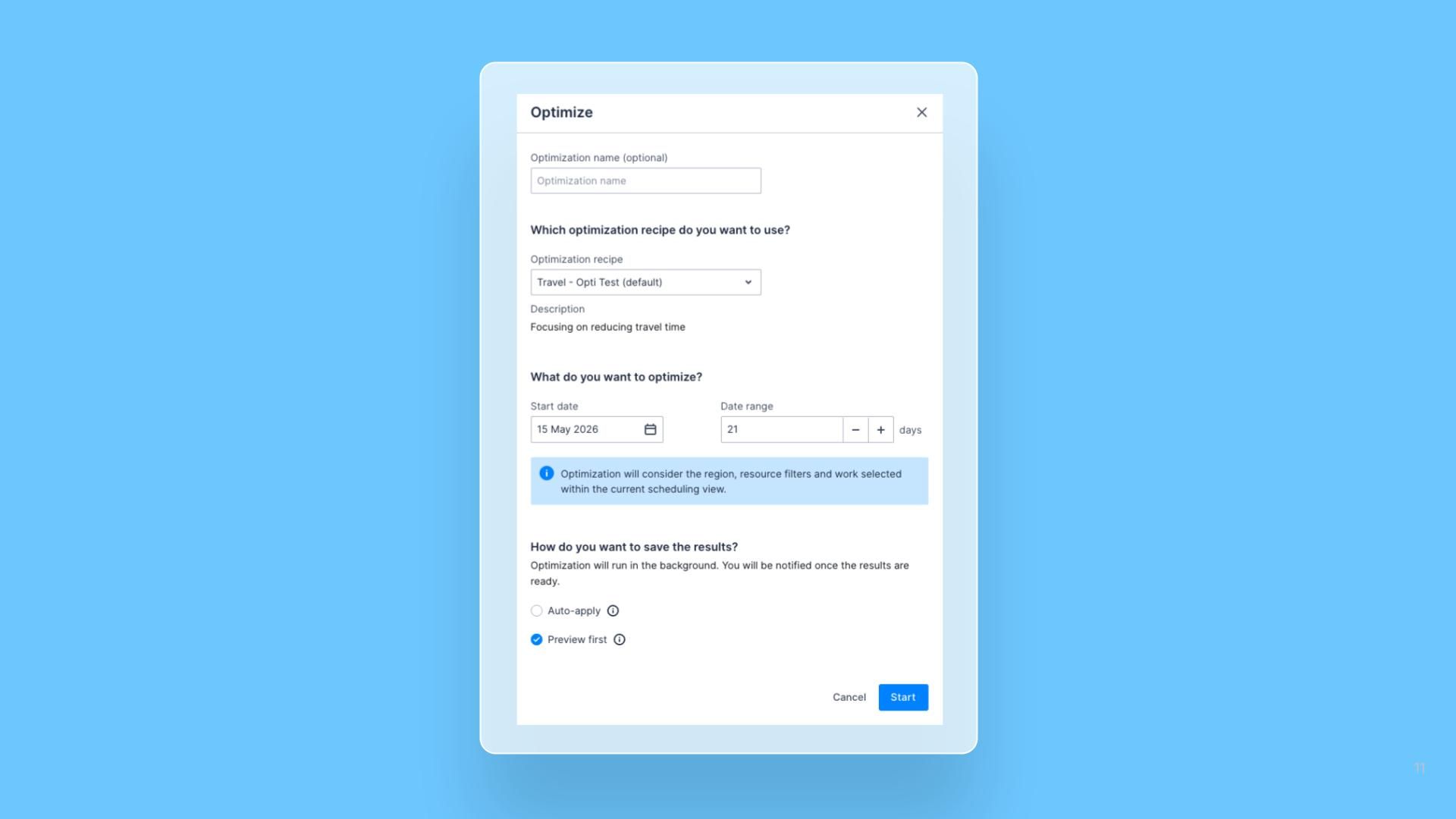


Schedulers can now set any start date and any window length up to 60 days when running a one-off Optimization, rather than picking from the fixed list of presets (1 day, 3 days, 1 week, 1 month). The preset dropdown has been replaced with the same Start date picker and Date range stepper already used on scheduled Optimization runs.
What’s new
- Start date picker: Pick any date as the beginning of the optimization window, giving full control over when the run starts rather than implicitly anchoring to today.
- Date range stepper: Type or step to any number of days, up to a maximum of 60, making previously unreachable windows such as 10 days, 2 weeks, or 3 weeks selectable without curating new presets.
- Consistent across run types: The one-off and scheduled Run dialogs now share the same controls, defaults, and bounds, removing the mismatch between the two flows and reducing surprises when switching between them.
This feature will initially be available only when optimizing from our legacy swimlanes and will be coming soon to the Pulse Swimlane.