


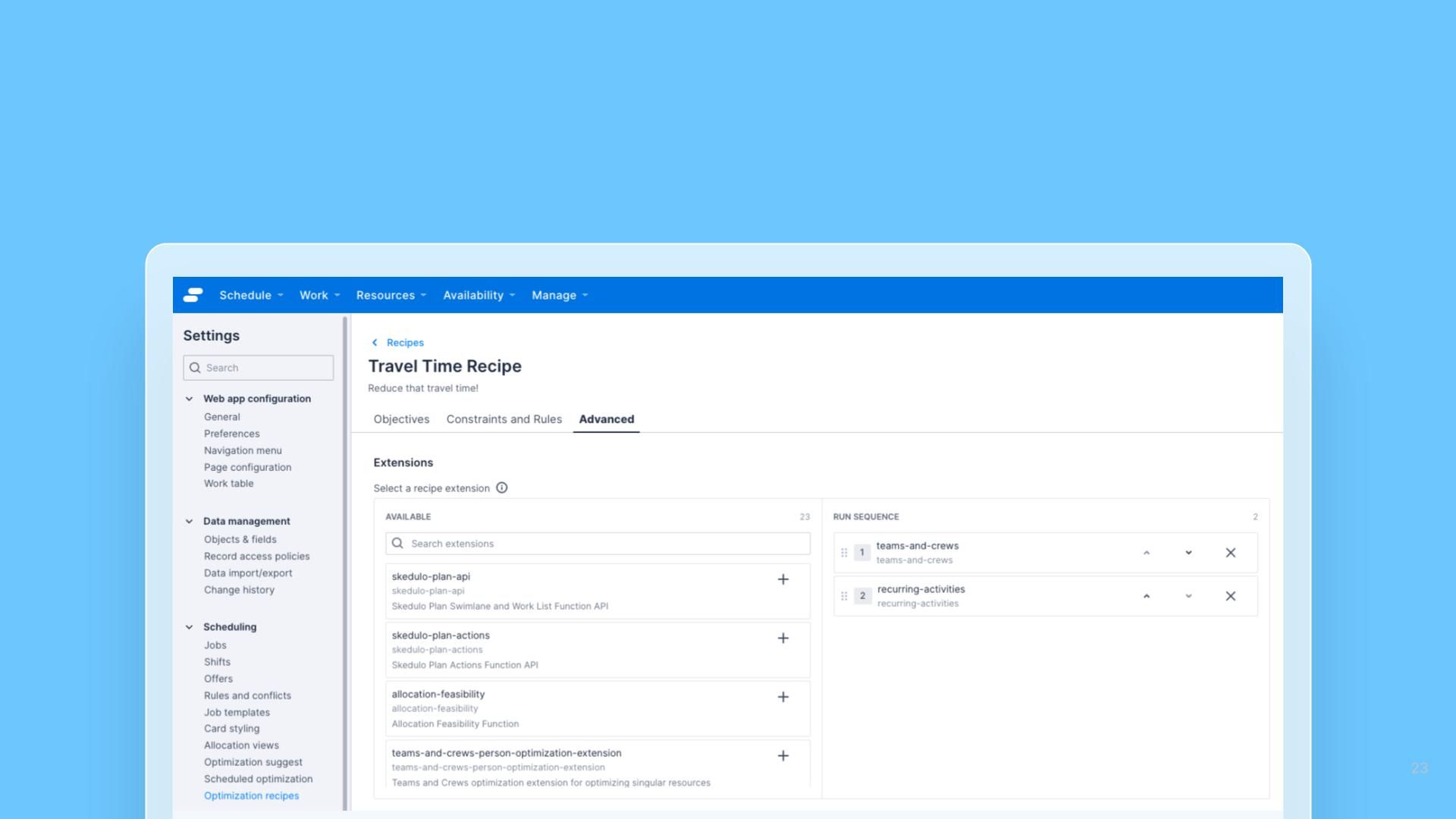


The Optimization Recipes settings page has been reorganized to make it easier to configure recipes and manage extensions.
What's new
- Recipes are now split into tabs: Optimization Recipes used to be one long scrolling page. It's now split into three tabs; Objectives (Details, Objectives, and the Spider diagram), Constraints and Rules (Scheduled jobs, Travel time, Snap and padding, Job removal), and Advanced (Extensions), so you can jump straight to the section you need.
- Ordered extension selector: The Extensions section, now on the Advanced tab, replaces the old multi-select with an ordered selector, making it clear which extensions are applied to a recipe and in what order.
No settings or values have changed; this is a reorganization of the existing Optimization Recipes screen.