


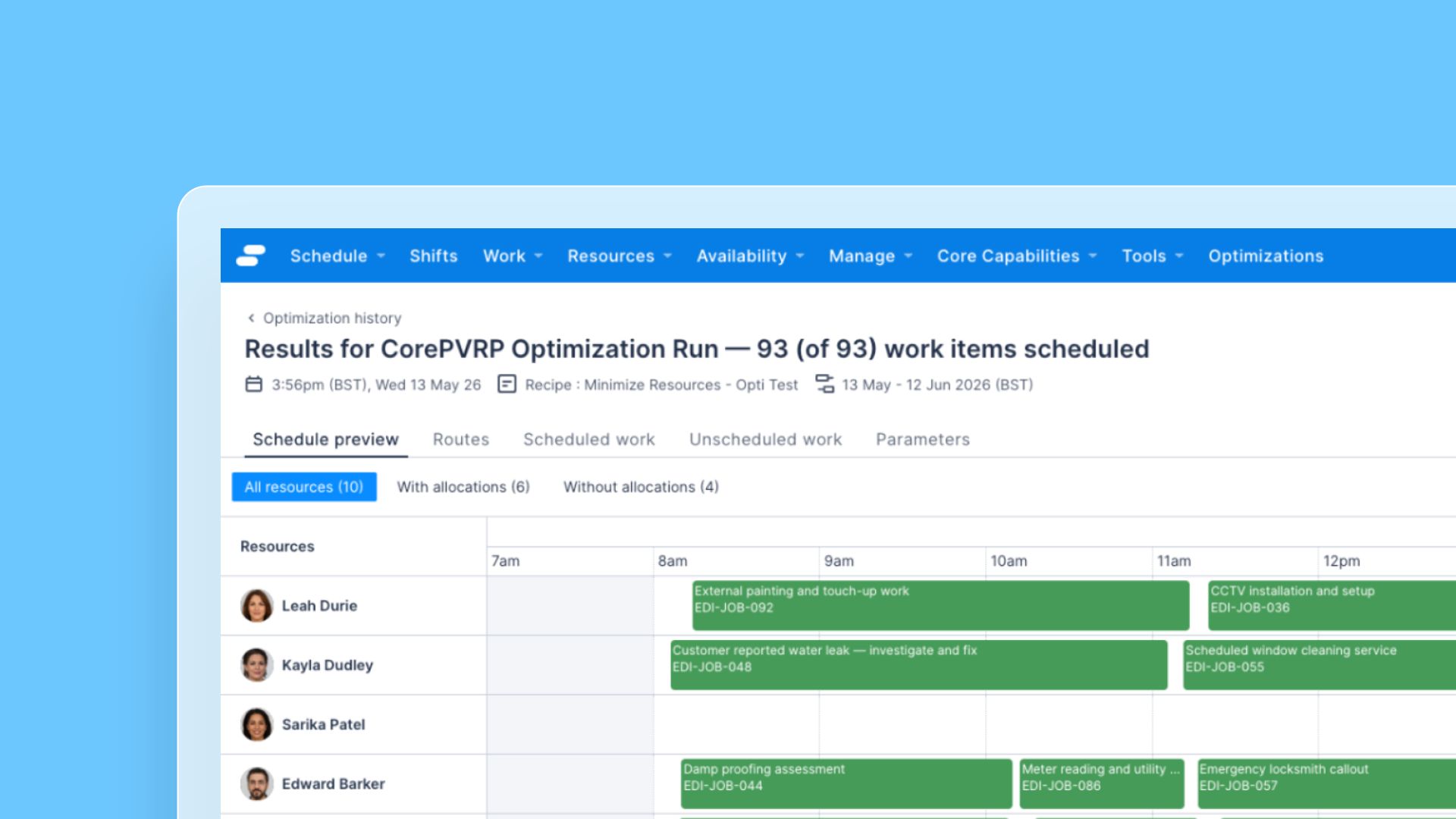


The optimization results page now includes a filter that lets schedulers narrow the Resource list by allocation status. This makes it faster to confirm which Resources received work in a given run, without scanning the full list.
What’s improved
- Three filter options: Choose between All resources, With allocations (Resources with at least one in-scope optimized Job assigned in this run), and Without allocations (Resources with zero in-scope optimized Jobs assigned). All resources is selected by default.
- Live counts on each option: Each filter option shows the number of Resources in that bucket, so schedulers can see at a glance how allocations were distributed across the team.
- Clear empty state: When the active filter produces no matches, the list shows a “No resources match this filter” message instead of blank space.