


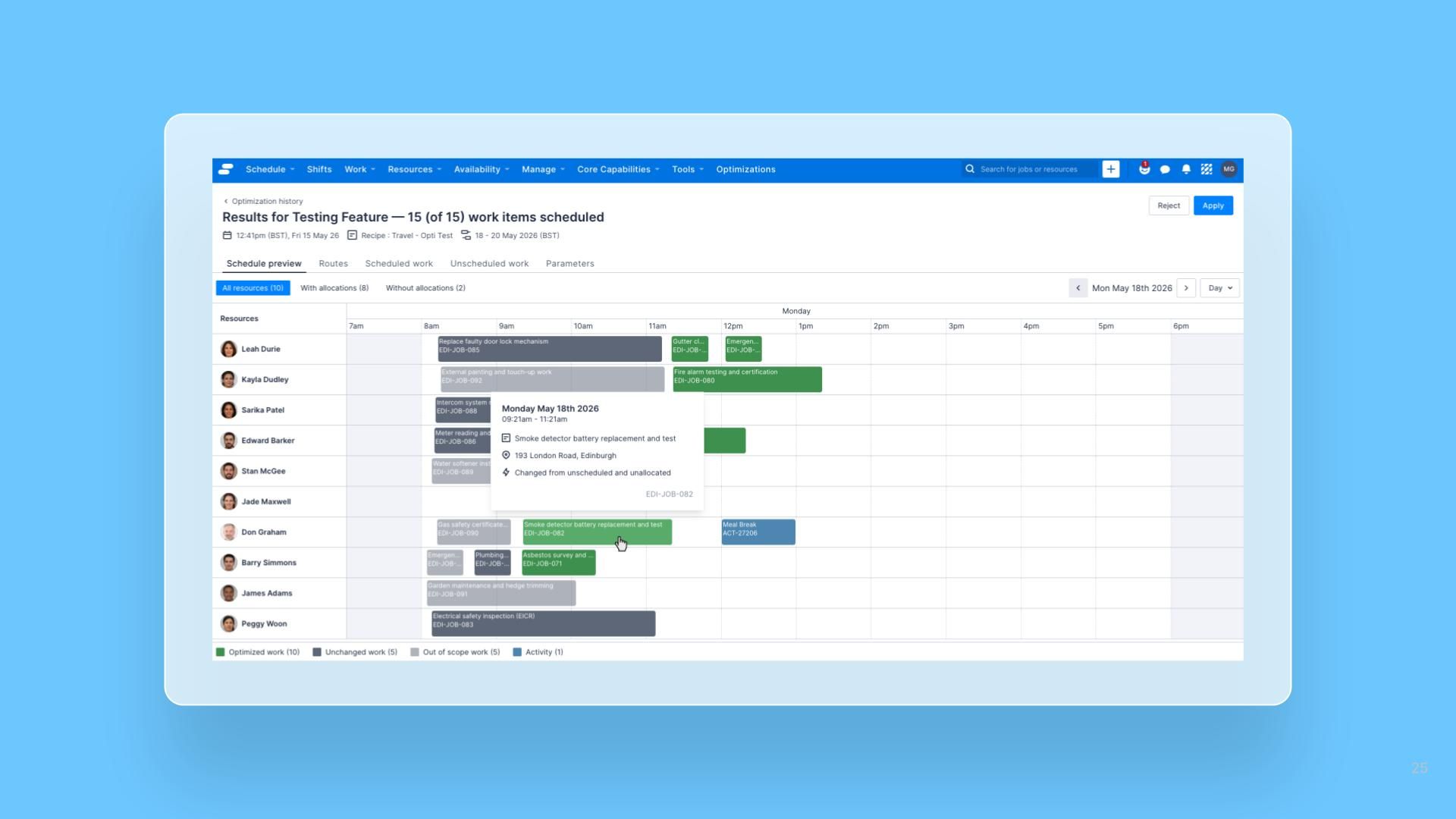


The Schedule Preview now distinguishes Jobs that were part of the optimization run but left unchanged from Jobs that were genuinely rescheduled or reallocated. A new tooltip row on every Job card explains which category the Job falls into, and for Optimized work, what changed.
What’s improved
- Three-state categorization: Jobs are now classified as Optimized work (rescheduled and/or reallocated), Unchanged work (part of the run but not moved), or Out of scope work (not part of the run). Optimized Jobs render in green; Unchanged and Out of scope Jobs render in grey.
- Tooltip detail: A new row beneath the address in each Job-card tooltip shows a lightning bolt icon and category-specific text. Out of scope Jobs read “Not part of optimization run”, Unchanged Jobs read “Part of optimization run but not changed”, and Optimized Jobs show the original date, time, and/or Resource they were changed from.
- Updated legend: The legend below the preview now shows counts for all three categories.