4 Key IT Benefits of Mobile Workforce Management Technology

 April 3, 2026
 8 min read


For IT leaders at companies with large mobile workforces, the challenge is clear: support frontline workers with enterprise-grade technology while managing the complexity of distributed data, diverse devices, and evolving security requirements.
Frontline workers represent more than three-quarters of the global workforce. But these roles—field technicians, home healthcare providers, installation specialists, and mobile service professionals—have been underserved by enterprise technology. While office-based employees benefit from integrated collaboration tools, Customer Relationship Management (CRM) systems, and streamlined workflows, frontline workers often contend with disconnected systems, limited mobile access, and technology that wasn’t designed for field conditions.
This gap creates costly problems for IT teams: fragmented data across multiple systems, security vulnerabilities from unauthorized workarounds, device management complexity, and the burden of building custom solutions without adequate platforms. With 92% of companies planning to invest in AI capabilities, IT leaders are also grappling with how to deploy intelligent automation for mobile work while maintaining data controls, governance, and security.
Mobile workforce management technologies provide a unified foundation for frontline operations. For IT teams specifically, they deliver benefits across four critical areas: data centralization, security, device management, and custom solution development.
Challenges IT Leaders Face with Frontline Worker Technologies
IT and Digital Transformation teams responsible for the technology needs of a large mobile workforce face unique challenges:
- Data fragmentation: Field service data often resides in spreadsheets, emails, CRM systems, and paper forms, making it difficult to maintain integrity and generate reliable insights from field data.
- Security vulnerabilities: When enterprise tools are difficult to use, 56 percent of frontline workers resort to unsanctioned technology, creating shadow IT risks.
- Device diversity: Supporting multiple device types, operating systems, and connectivity scenarios adds complexity.
- Integration demands: Mobile workers need real-time access to data from CRM, HR, ERP, and other systems, which requires robust API infrastructure.
- Custom development burden: Frontline workflows often require customization that IT teams must build and maintain.
Mobile workforce management platforms help IT teams address each of these challenges while maintaining strategic alignment with business objectives.

How Mobile Workforce Management Empowers IT Teams Supporting Frontline Workers
01. Centralized access to key data
Data fragmentation is one of the most persistent challenges for IT teams supporting mobile workforces. When field data is scattered across multiple platforms—scheduling in one system, job notes in another, customer records in a third—maintaining data integrity becomes nearly impossible.
The costs are high: employees spend 30% of their workweek searching for information they need to do their jobs. For frontline workers operating in the field, this inefficiency translates to delays, errors, and frustrated customers.
Consider this scenario: A field technician completes a maintenance call and notes that specific replacement parts need to be ordered for a follow-up visit. If this data isn’t captured in a centralized system accessible to procurement, scheduling, and customer service, the order doesn’t get placed, the follow-up doesn’t get scheduled, and the customer is left waiting—likely taking their business elsewhere.
Mobile workforce management platforms eliminate these gaps by centralizing all field service data in a single system of record. This centralization delivers multiple benefits for IT teams:
- Improved data integrity: Eliminates reconciliation errors across platforms
- Simplified data governance: Consistent data structures and access controls
- Better analytics: Leadership gains reliable, reproducible data for strategic decision-making
- Reduced integration complexity: Fewer point-to-point integrations to maintain
When IT teams can trust the data flowing from field operations, they can focus on strategic initiatives rather than troubleshooting data quality issues.
02. Improving data privacy and security for the mobile workforce
When enterprise systems are difficult to use, employees find workarounds. For frontline workers, this often means using personal devices, consumer apps, or manual processes to get their jobs done—creating significant security and compliance risks.
The scope of this problem is substantial: 56 percent of frontline workers use unsanctioned technology to perform their work, and 53 percent turn to consumer-grade apps to fill gaps in enterprise tooling.
For IT teams, these shadow IT practices create multiple concerns:
- Data exposure: Sensitive customer and business data stored in unsecured personal apps
- Compliance violations: Unauthorized data handling can violate HIPAA or other requirements
- Access control gaps: No visibility into who is accessing what data
- Incident response challenges: Difficulty identifying and containing breaches
Consider a home healthcare scenario: A nurse visiting six patients per day needs quick access to the schedule, patient information, care requirements, and addresses. Without a user-friendly mobile solution, that nurse might list patient information in a personal notes app—creating a HIPAA violation and potential data breach.
Mobile workforce management platforms reduce these risks by providing frontline workers with technology that actually works for their needs. When field teams have mobile-first tools designed for their workflows, they don’t need workarounds.
Additionally, centralized platforms give IT teams the ability to implement security measures consistently across the organization:
- Data masking: Sensitive information is protected everywhere it appears
- Access controls: Role-based permissions for field data
- Audit trails: Complete visibility into data access, modifications, and automation triggers
- Mobile device management integration: Consistent security policies across devices
03. Compliant field operations from any device
Whether your organization has a bring-your-own-device (BYOD) policy or provides mobile hardware to employees, supporting the full range of devices and operating systems used by frontline workers is complex.
A robust system for the frontline simplifies this challenge by being truly device-agnostic. The platform should work seamlessly on any device—smartphone, tablet, or laptop—and any operating system—iOS, Android, or web browsers. This flexibility means:
- No device restrictions: Employees aren’t limited to specific devices to access key capabilities
- Simplified enterprise mobility management: Consistent experience across device types
- Reduced support burden: Fewer device-specific issues to troubleshoot
- Faster onboarding: New workers are productive immediately on their preferred devices
The digital transformation of frontline work can also simplify regulatory and compliance updates. Instead of pushing changes across multiple systems, IT teams can implement large-scale updates within a single platform to comply with internal policy changes and external regulatory mandates.
04. Easier development, testing, and deployment of custom solutions
Frontline workflows often require customization. Industries with mobile workers have unique processes, compliance requirements, and standard operating procedures that don’t fit neatly into off-the-shelf software.
Traditionally, this means IT teams must build custom solutions from scratch—a significant investment in development resources, testing infrastructure, and ongoing maintenance. For teams without extensive front-end development or UX expertise, this burden can be overwhelming.
Modern frontline worker technology is designed to accelerate custom solution development:
- No-code and low-code frameworks: IT teams can build and publish extensions and integrations without extensive coding, enabling faster deployment of solutions that help frontline workers perform their jobs more effectively
- Custom code capabilities: For more sophisticated requirements, platforms like Skedulo provide comprehensive technical documentation that enables IT teams to develop custom solutions autonomously, focusing resources on the most critical business needs
- Customizable forms: Job notes, customer surveys, safety checklists, and other field data capture tools can be configured to support specific workflows and impact key performance indicators (KPIs) like customer satisfaction and first-time fix rates
- Robust APIs and integrations: Pre-built connections to CRM, EHR, HR platforms, and other enterprise systems make it easier to bridge data silos and ensure everyone has real-time access to the information they need
Together, these capabilities enable IT to create user-friendly interfaces that truly fit frontline workflows—and continuously improve them based on data and feedback from the field.
How Connexin Used Mobile Workforce Management to Transform Operations
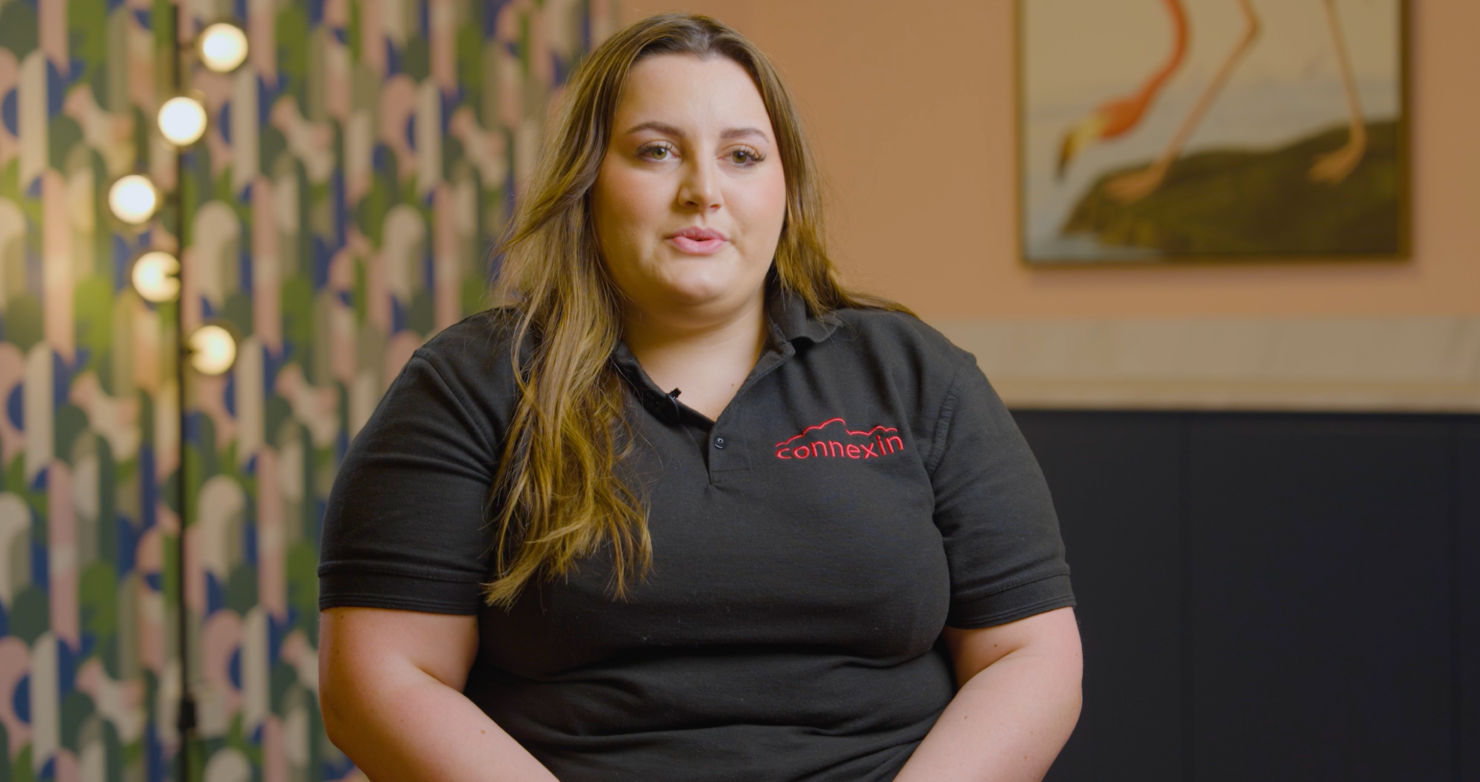
Connexin, a telecommunications company building fiber and broadband infrastructure across Yorkshire, England, needed to scale operations rapidly while maintaining service quality. With over 25,000 connected customers and an ambitious growth trajectory, the company’s field engineering team was constrained by systems that couldn’t keep pace.
The core problem was familiar to many IT teams: field engineers couldn’t provide real-time updates to the office-based scheduling and operations team. Instead, engineers had to deliver in-person end-of-day updates—making it impossible to adjust schedules dynamically, respond to changing conditions, or provide customers with accurate service windows. The existing system also lacked the customization and integration capabilities Connexin needed to solve these issues.
After implementing Skedulo’s mobile workforce management platform, Connexin achieved the data bridge needed to connect field and office teams. The platform’s API capabilities enabled integration with other critical systems, creating a unified operational environment. Field engineers now provide real-time updates, schedulers can adjust on the fly, and customers receive a significantly improved experience.

We can now offer a greater experience for our customers, scheduling, and engineering teams. Our software team can integrate via API so customers can book around their own availability.

We can now offer a greater experience for our customers, scheduling, and engineering teams. Our software team can integrate via API so customers can book around their own availability.
As Emily Halsey, Connexin’s Engineering Operations Manager, explained: “We can now offer a greater customer experience, as well as a greater work experience for our scheduling teams and our engineering teams. Our software team can integrate via API so customers can book their own jobs around their availability.”
IT Teams Can Thrive With the Right Frontline Worker Technology
For IT leaders managing the technology needs of frontline workforces, mobile workforce management platforms offer a path forward: centralized data that’s easier to govern, strengthened security through user-friendly tools, simplified device management, and accelerated custom development.
Skedulo’s mobile workforce management platform provides a mobile-first foundation designed for frontline work. With comprehensive developer documentation, native integrations with enterprise systems like Salesforce and Workday, and a dedicated support team, IT teams have the resources needed for successful implementation and ongoing optimization.
Request a demo to see how Skedulo can support your IT team and frontline workforce.
Join the growing list of readers receiving real-world insights on AI scheduling, field operations, and workforce innovation from Skedulo.
-
 Real operational insight
-
 What's changing in the industry
-
 Product thinking that helps you move faster
Communications are limited to relevant news and insights.
Join the growing list of readers receiving real-world insights on AI scheduling, field operations, and workforce innovation from Skedulo.
-
Real operational insight
-
What's changing in the industry
-
Product thinking that helps you move faster
Communications are limited to relevant news and insights.