


⚠️ Important – When upgrading to this version, if you have skipped any previous releases, please use the installation links below to proceed as usual. However, we recommend reviewing the release notes for the skipped versions to familiarise yourself with new features, issue fixes, and to ensure compatibility and correct setting requirements.
Compatibility
Lumary Compatibility: This version of the AU Healthcare Package is compatible with the following Lumary packages. These Lumary packages must be installed prior to updating the AU Healthcare Package.
Contact Lumary for the following package upgrades.
- Lumary: 20.3.9 or greater
- Enrite Care Service: 1.307 or greater
Skedulo Compatibility: This version of the AU Healthcare Package is compatible with the following Skedulo packages. This version of the Skedulo Package must be installed prior to updating the AU Healthcare Package. Any features relating to the job allocation process will not be applicable to the Job Allocation Screens used with any Award Integration.
- Skedulo Core Package: 102.56 or greater
🎉 What's New?
Balance check to support ratio
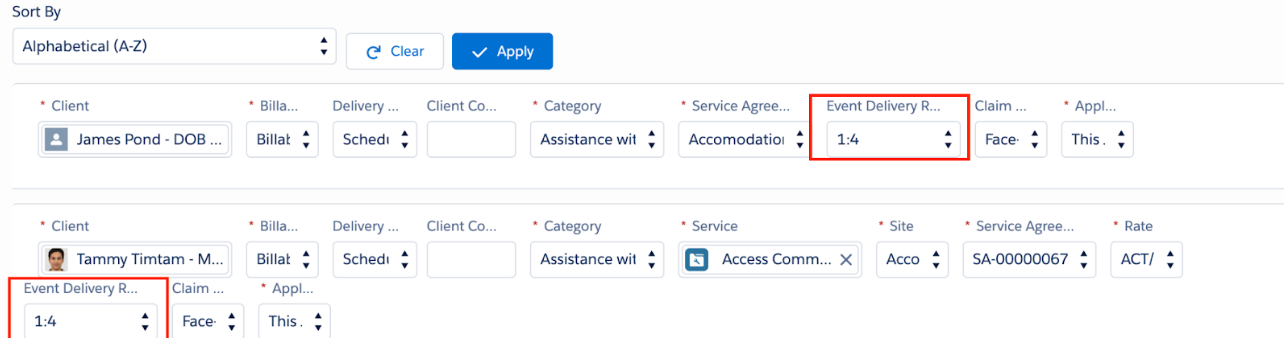
When creating group event jobs, the balance check now takes into account the Event Delivery Ratio in order to return the more accurate remaining amount per client. For example if the ratio is 1:4 the balance check will apply for one fourth of the full service rate
Preset ratio in group event template
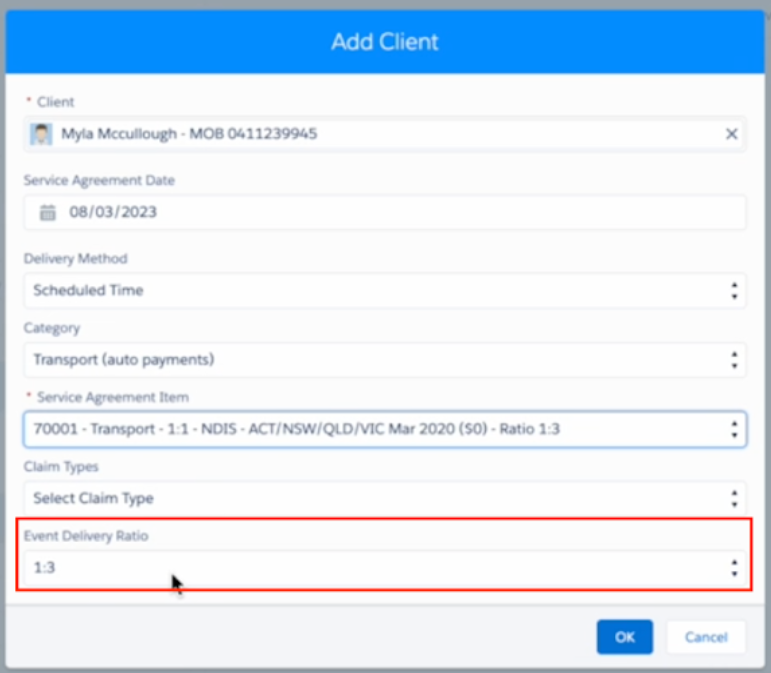
- When adding a new client to the Group Event attendee template, a new field "Event Delivery Ratio" has been added to the form.
- The field will be populated with the Ratio extracted from the Service Agreement Item selected (if any). In case there is no Ratio to be extracted (typically when the item is linked with an unrestricted category), schedulers can key in the Ratio for this new client.
- The field is optional and can be adjusted or left blank as needed
- When creating group event jobs, the ratios from the template will be populated to save time.
Capacity Planner
- Based on the Roster of Care (ROC), new capabilities are being introduced to help Schedulers and Managers align their Client demand at a Location with the number of Workers scheduled at that Location. Templates will be used to establish the demand and a capacity report can be run to provide insights on how rostering aligns with the defined demand. This will enable what time of the day will potentially experience over capacity or staff shortfalls to be identified.
- The two new consoles will be introduced in this release as a Beta version:
- Demand Template Management
- Capacity Report
Demand Template Management
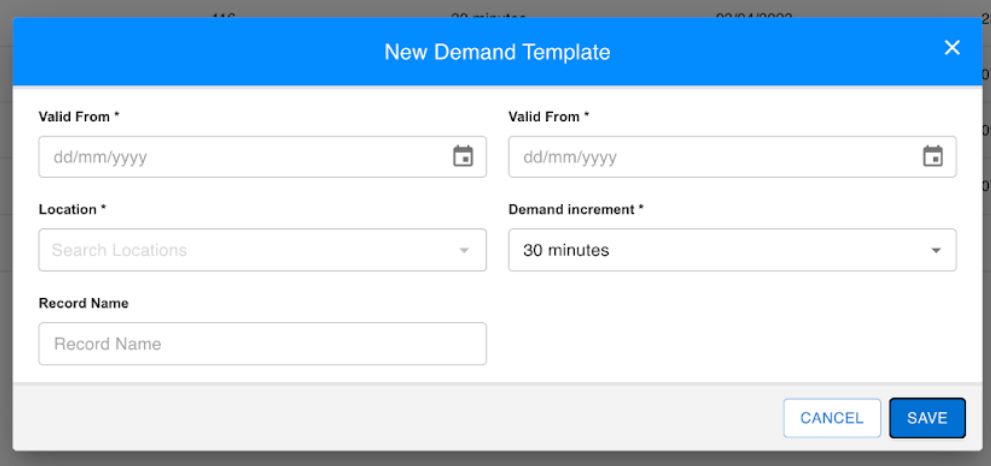
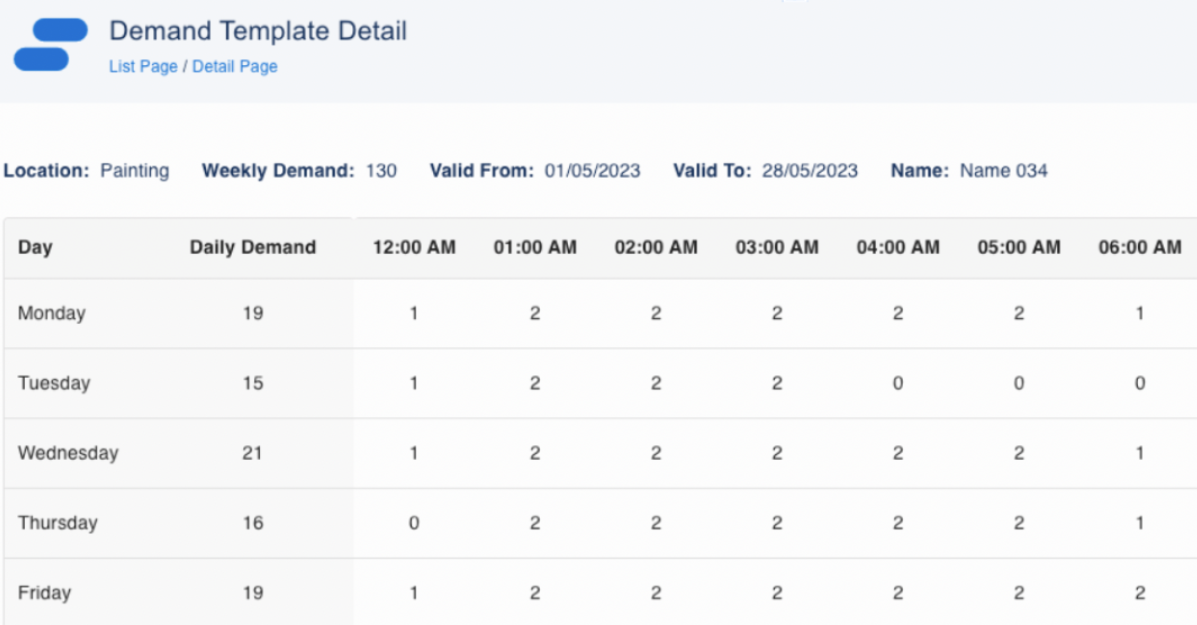
- The Demand Template Management enables a template to be defined for a Location for a period of time. Only one template can exist for the same location for a period of time.
- The demand can be established for a week for a location in time slots such as 30 minutes or 1 hour.
- Once a template has been defined, the demand values for each time slot can be entered and saved.
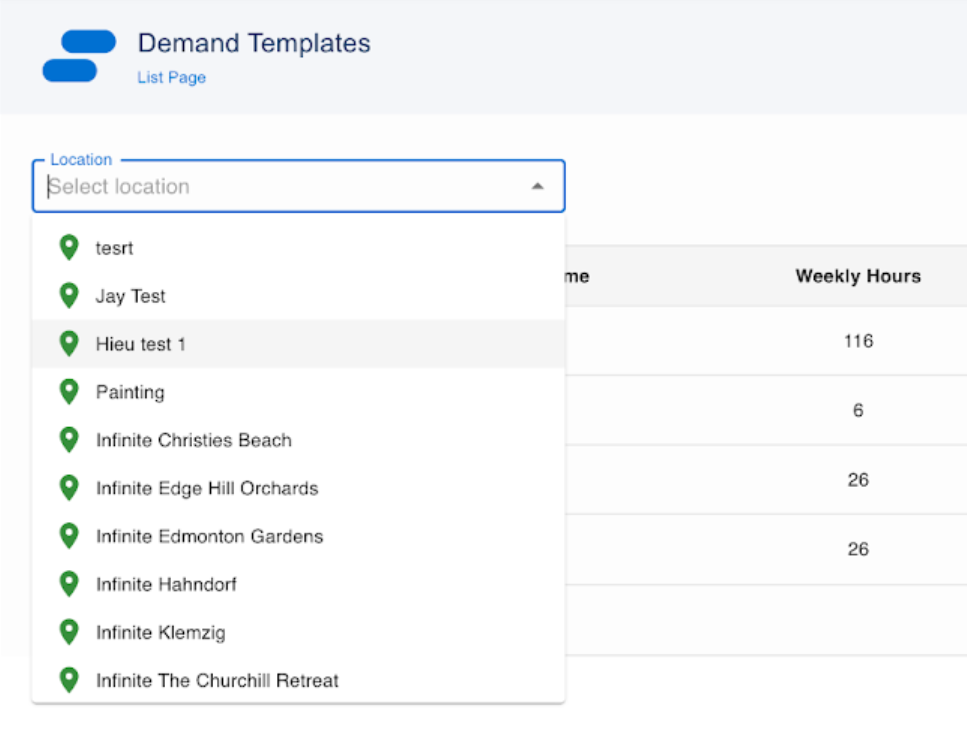
- Schedulers can also search for an existing template by Location and then click on the hyperlink on the Location to edit the detailed demand for that template.
Capacity Report
- Capacity Report offers real-time visibility of actual schedules versus the demand for a location over a certain week. The analysis is displayed on a weekly, daily basis and drilled down to individual time slots.
- The report helps with highlighting where there are discrepancies in demand vs worker numbers
Note: Detailed functional requirements and user guide of the two new capabilities can be found here.
🛠️ Issues Fixed
- When replicating rosters from the Scheduling Console the Job Types indicated will be replicated.
- Clicking on Jobs on Timesheet Console no longer navigates to a blank page and navigates to the job details.
- When cancelling a job with a cancellation reason not included in the custom setting Not_Create_SD_On_Cancelled_Job_Reason, an error message was displayed. This has been fixed and the error message will no longer appear.
- The issue has been fixed when there are more than 1000 tag records in the system. Previously the tag search in RRC only loaded up the first 1000, while the expectation is to be able to search for any tags in the system. (Note: the issue might be replicated in other areas with tag search, this will be addressed in upcoming releases).
🔗 Manual Installation Links
⚠️ Salesforce administrators only
Additional Install Component: If you are upgrading from version 1.139 or less this version of the AU Healthcare Package requires the installation of an additional component. Installation is required to enable certain core functionality. Refer to the AUHC Additional Install Component for further details and steps to perform the installation.
- Sandbox:
https://test.salesforce.com/packaging/installPackage.apexp?p0=04t8W000003JjUo - Production:
https://login.salesforce.com/packaging/installPackage.apexp?p0=04t8W000003JjUo
Need Help? See View and upgrade Skedulo Managed Packages on Skedulo Docs.
