Create custom fields with unique constraints in the web app
7 August 2025

If you are creating custom fields for objects you can now create a field that has a unique constraint using the web app by navigating to Settings > Data management > Objects & fields, and select the object you want to add the field to.
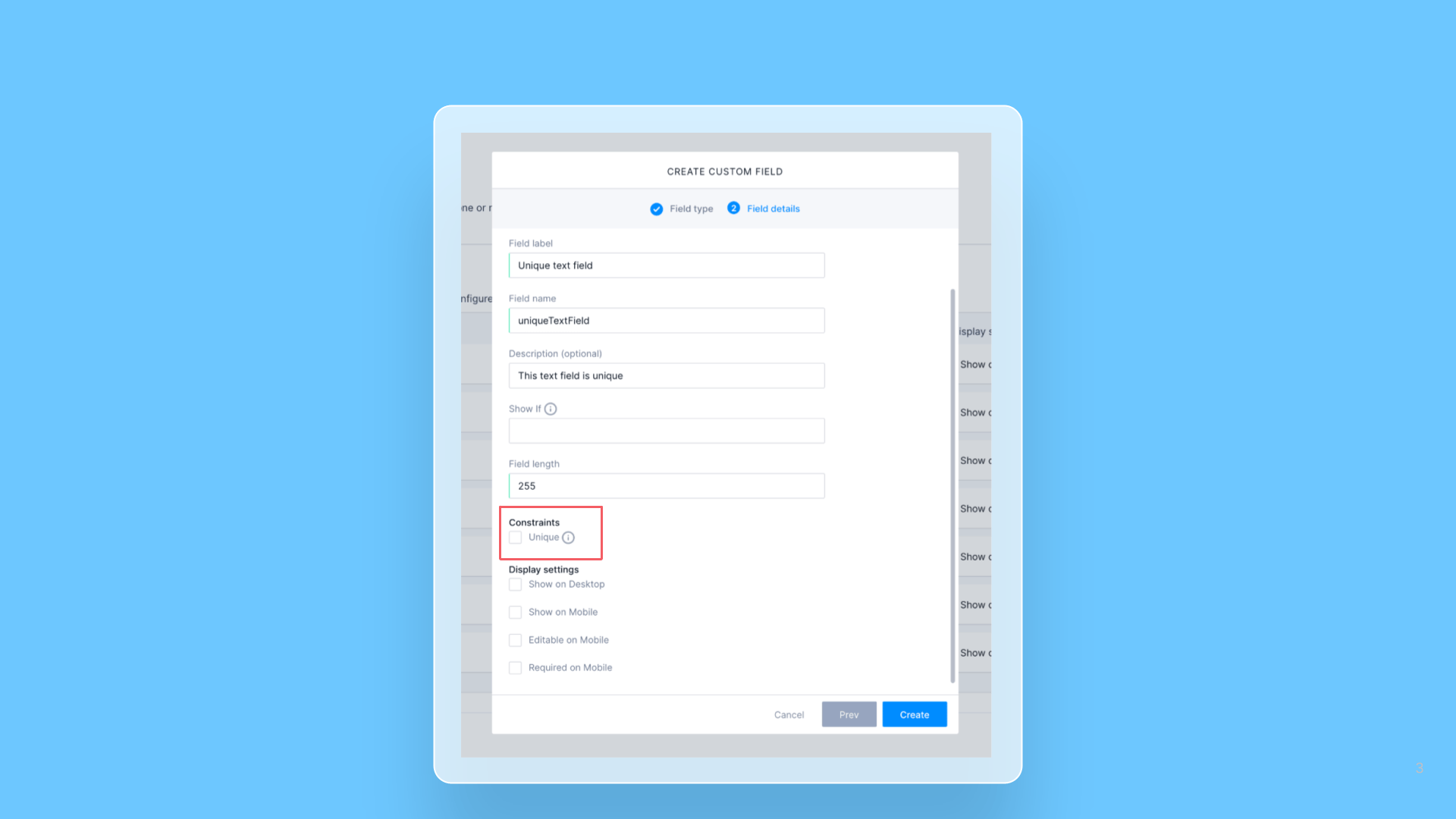
After choosing the data type for the field, the “Create custom field” modal now includes a section called “Constraints,” where you can set the unique constraint.
What are unique constraints? A unique constraint is a data integrity rule that ensures all values in a specified field, for a given object, are distinct from one another. It prevents the insertion of duplicate non-null values, thereby enforcing the uniqueness of the data for business logic purposes.
What can I do with unique constraints? When integrating data from multiple systems, it’s highly effective to store an external system’s identifier in a field on your object. By placing a unique constraint on this field, you enable the use of a single upsert mutation via the GraphQL API, to streamline the data synchronization process.
This approach is powerful because the upsert command fundamentally relies on that unique constraint to determine if a record already exists. The database automatically leverages the constraint to decide whether to perform an UPDATE on a matching record or an INSERT if no match is found, thereby simplifying the integration logic by removing the need for the client system to perform its own preliminary check.
Restrictions associated with unique constraints The following restrictions apply when using unique constraints:
- They are only supported on fields with the field type:
- You can only mark a field as having a unique constraint when you create it, and the constraint cannot be removed.
- Text
- Decimal
- Integer
- Url