


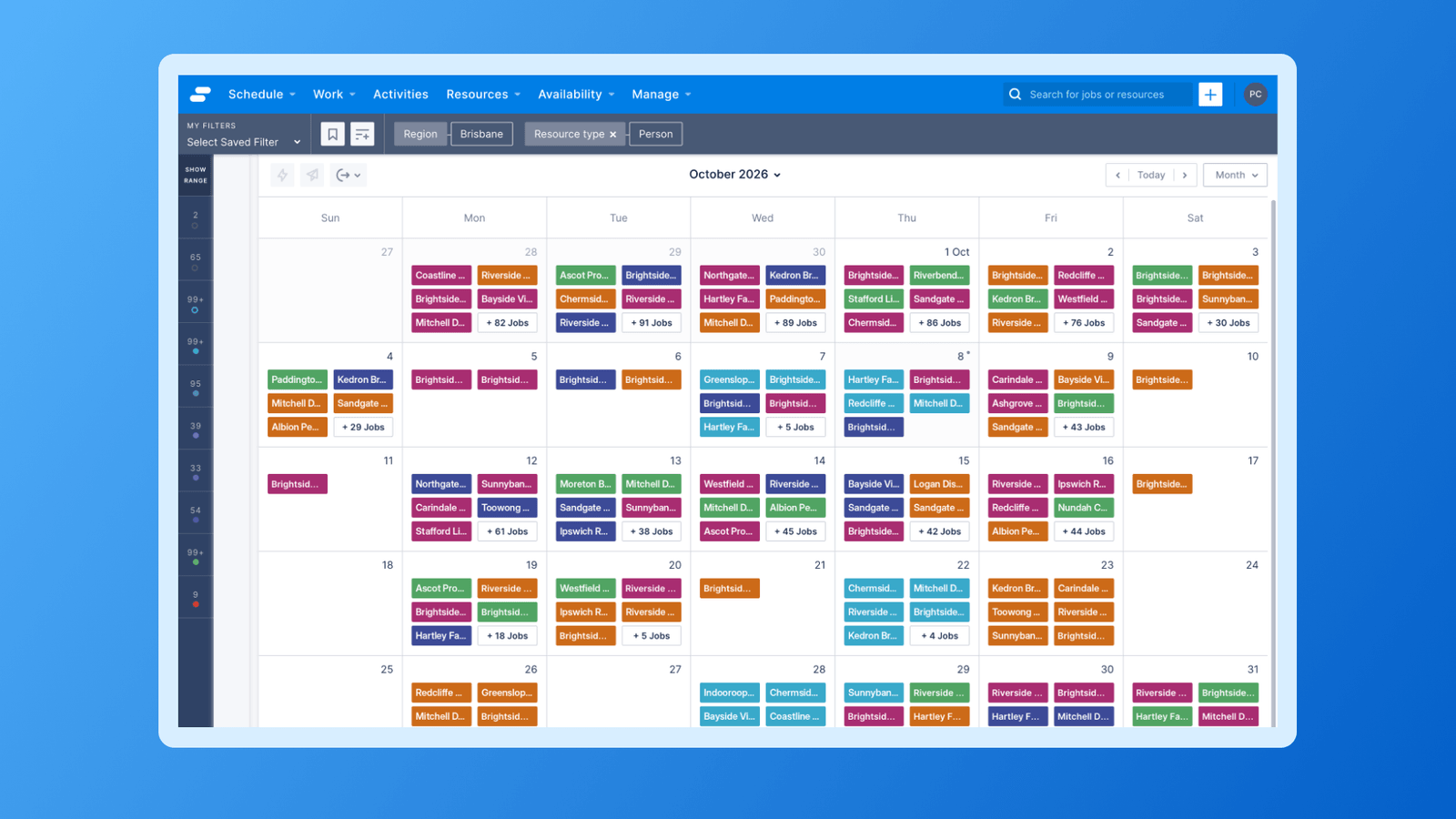


Calendar cards now show the job information your team cares about, in the colours that help them scan a schedule at a glance.
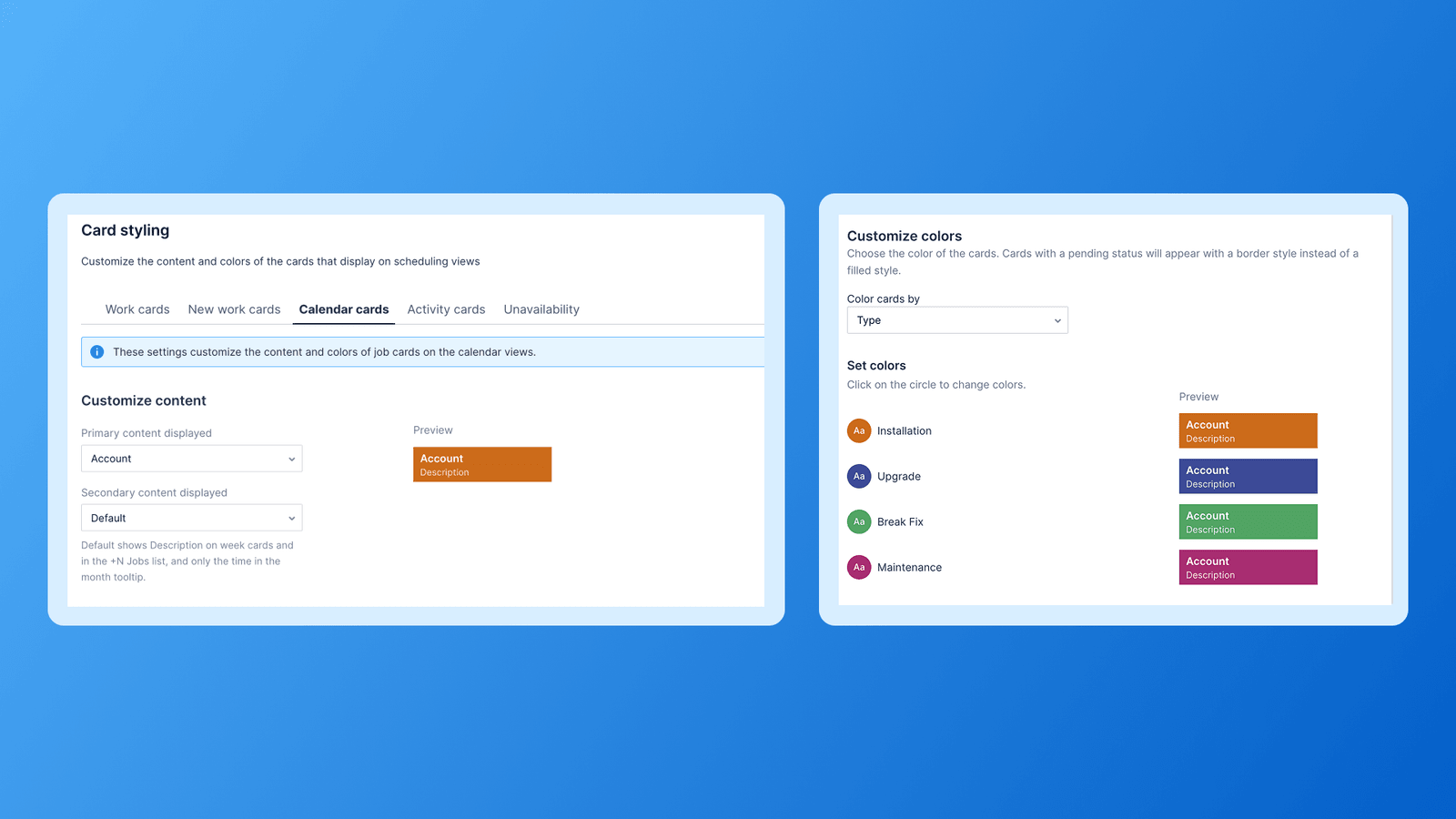
A new Calendar cards tab in Settings > Card styling lets admins configure how jobs appear on the month and week calendar views.
What you can do
- Choose the primary and secondary content shown on each card, using standard job fields or your own custom fields.
- Colour cards by Status, Type, Account, Location or a custom field.
- Save, cancel or reset to default at any time without affecting your other Card styling tabs.
Where your changes show
- Week view cards and the "+N Jobs" list show your primary and secondary fields.
- Month view cards show your primary field, and the secondary field appears in the card tooltip.
What stays the same
Nothing changes until you update the settings. If you don't save a configuration, your calendar looks and behaves as it does today: the job name on the card, the Description on week cards, and your existing Work cards status colours.
Calendar cards styling is available to all Skedulo and Salesforce tenants.