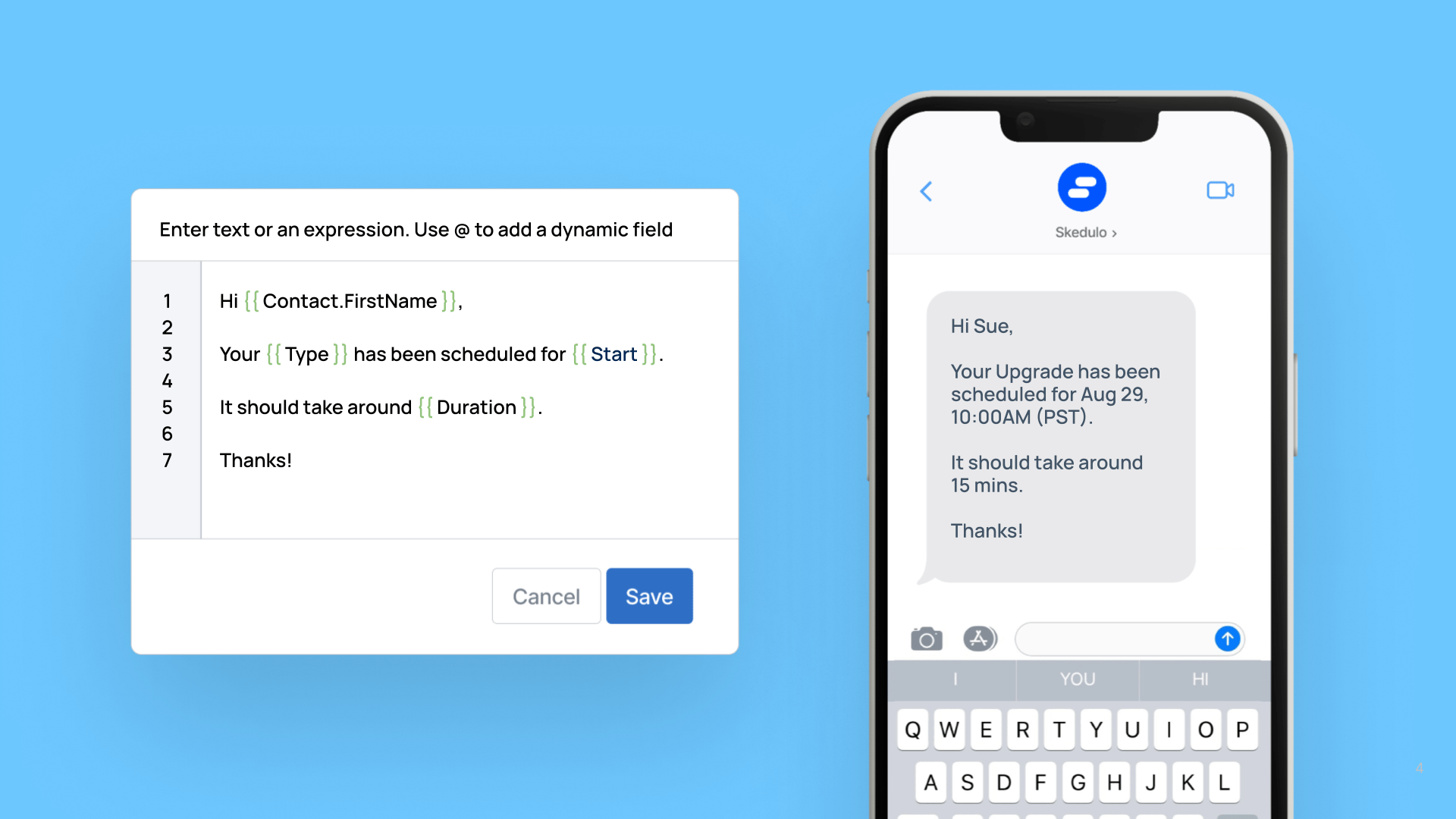
Improvements to formatting date & time fields in “Send SMS” actions within a triggered action
25 September 2025


Triggered actions allow you to perform actions in response to events that occur within the Skedulo platform. They are defined as a combination of a trigger and an action. A trigger defines the event that causes the triggered action to be executed and the action defines what should happen.
Send SMS is an action that allows an SMS message to be sent, with the destination number and the body of the message either hard coded, or referenced from an object-modified trigger using templates.
Automatic Formatting for Date & time fields
When a field of type Date & time (e.g. Start) is used in a Send SMS action template, it is now automatically formatted based on a Timezone field of the record in the object-modified trigger (e.g. Jobs).
- If a Timezone field is present and set to “America/Los_Angeles”, Start would display as “Dec 25, 2:30AM (PST)”.
- If a Timezone field is not present or is invalid, the time is displayed in UTC (Coordinated Universal Time). Start would display as “Dec 25, 10:30AM (UTC)”.
New formatDateTime function
If you want to take full control of how Date & time fields are formatted, you can now reference a new “formatDateTime” function in the message template. This function allows you to specify a timezone, what to display if the field is empty, as well as custom formats.
For more details on the formatDatetime function please refer to the updated documentation.
