


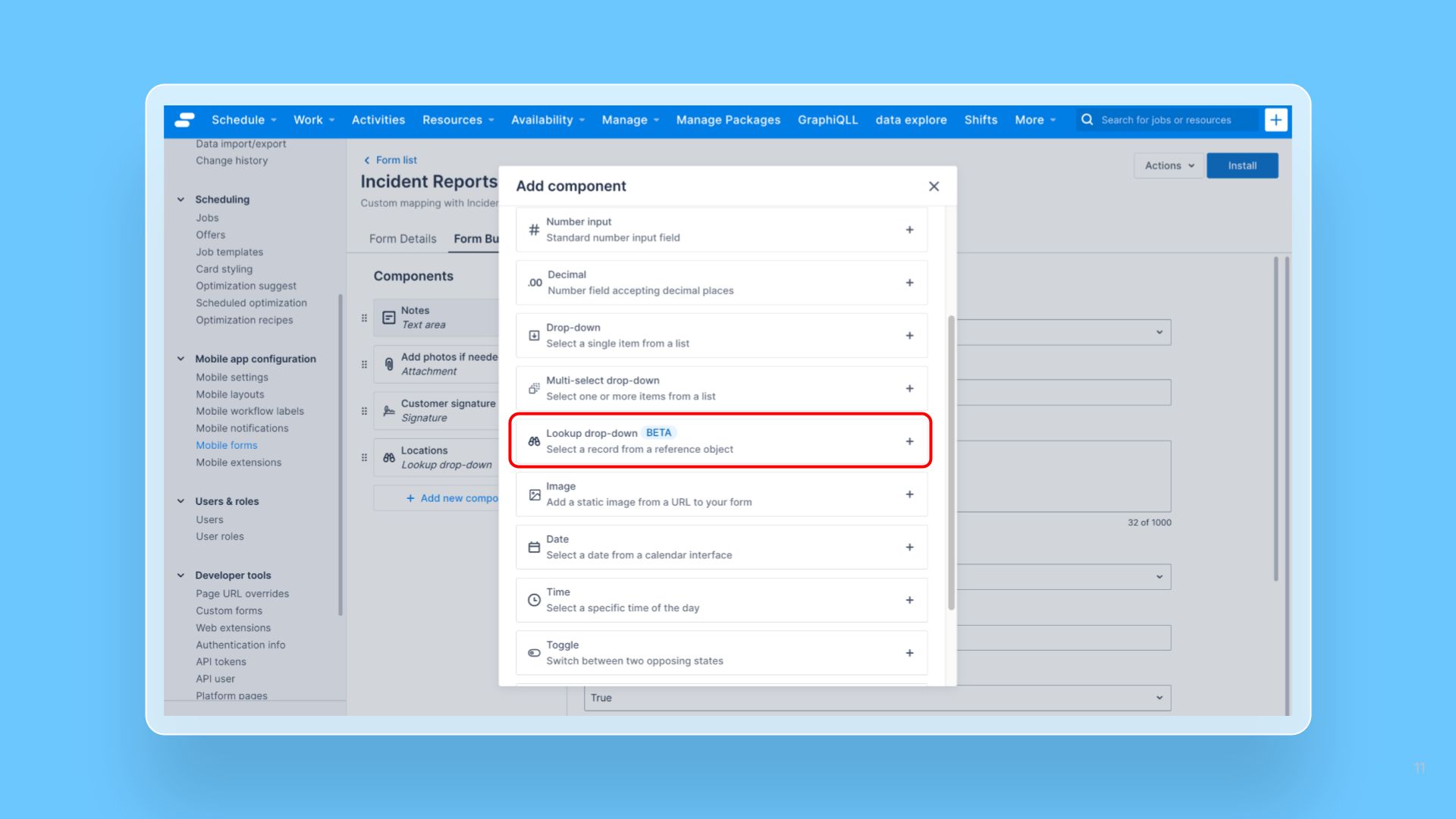


We’ve enhanced the Form Builder to support Lookup field mapping within the “Advance form with custom data mapping” option. This update enables admin users to map lookup fields directly to form components, making it easier to work with relational data when building forms.
Administrators can now map lookup fields to form components using Custom Data Mapping. Additionally, they can configure fields that reference existing records with filter and sort options, ensuring mobile users see the most relevant and appropriate choices.
The enhancement is expected to:
- Increase flexibility: Form builder forms can now fully leverage relational data models and capture more accurate data
- Enable more use cases: Business processes that depend on linked data (e.g. associating accounts with jobs or products with orders) can be reflected directly in Form Builder forms
- Reduce project complexity: Eliminates the need for low-code or custom MEX-based workarounds, lowering setup effort and maintenance costs
How to Use Lookup Drop-down Component
To add the Lookup drop-down component to your mobile forms:
- Setup the Lookup field you want to use in the Objects and fields page (for Pulse Platform) or Custom fields (for Skedulo on Salesforce).
- Open your existing form or create a new form from Setting > Mobile forms screen.
- Click Add new component
- Select Lookup drop-down in the Add component pop-up modal. This option is only available for forms created using the “Advance form with custom data mapping”
- Configure the component:
- Select the lookup field you want to map from the Field mapping dropdown.
- Select a field from the Display field dropdown list. This is how mobile users will see when they open the dropdown list on Skedulo Plus. For example, if you are mapping a lookup field that reference Accounts object, you may want to select Name in the Display field.
- Create Filter and Sort options as needed.
- Configure other properties for the component
- Click Save and install the form to make it available for mobile users.