Release notes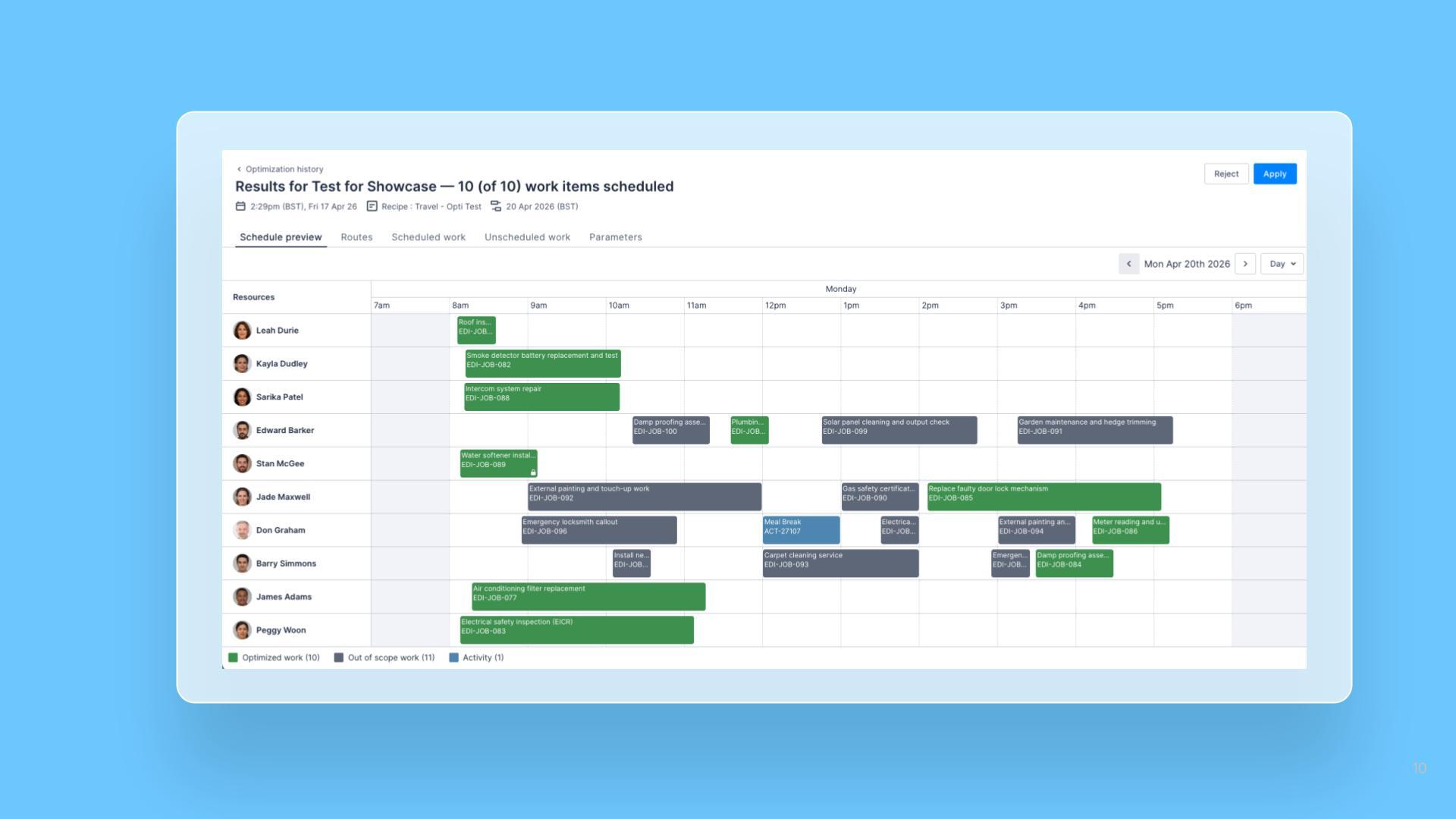
Optimization results improvement: color-coded schedule preview to distinguish optimized and out-of-scope work
27 April 2026
Web AppSchedulers

The Schedule Preview shown after an optimisation run now colour-codes Jobs and Activities to make the result easier to interpret. Schedulers can immediately see what the optimizer changed versus what it worked around, along with the volume of each category.
What’s improved
- Optimized work: Jobs you selected for the run that the optimizer scheduled are shown in one color, so the impact of the run is clear at a glance.
- Out-of-scope work: Jobs already scheduled in the same time window, which the optimizer took into account but did not optimize, are shown in a distinct color so it’s clear they were respected, not changed.
- Activities: Activities in the preview window are color-coded alongside Jobs, giving a complete picture of what the optimizer saw.
- Legend with volume counts: A legend at the bottom of the preview also shows the count, so you can quickly gauge the scale of the run.