


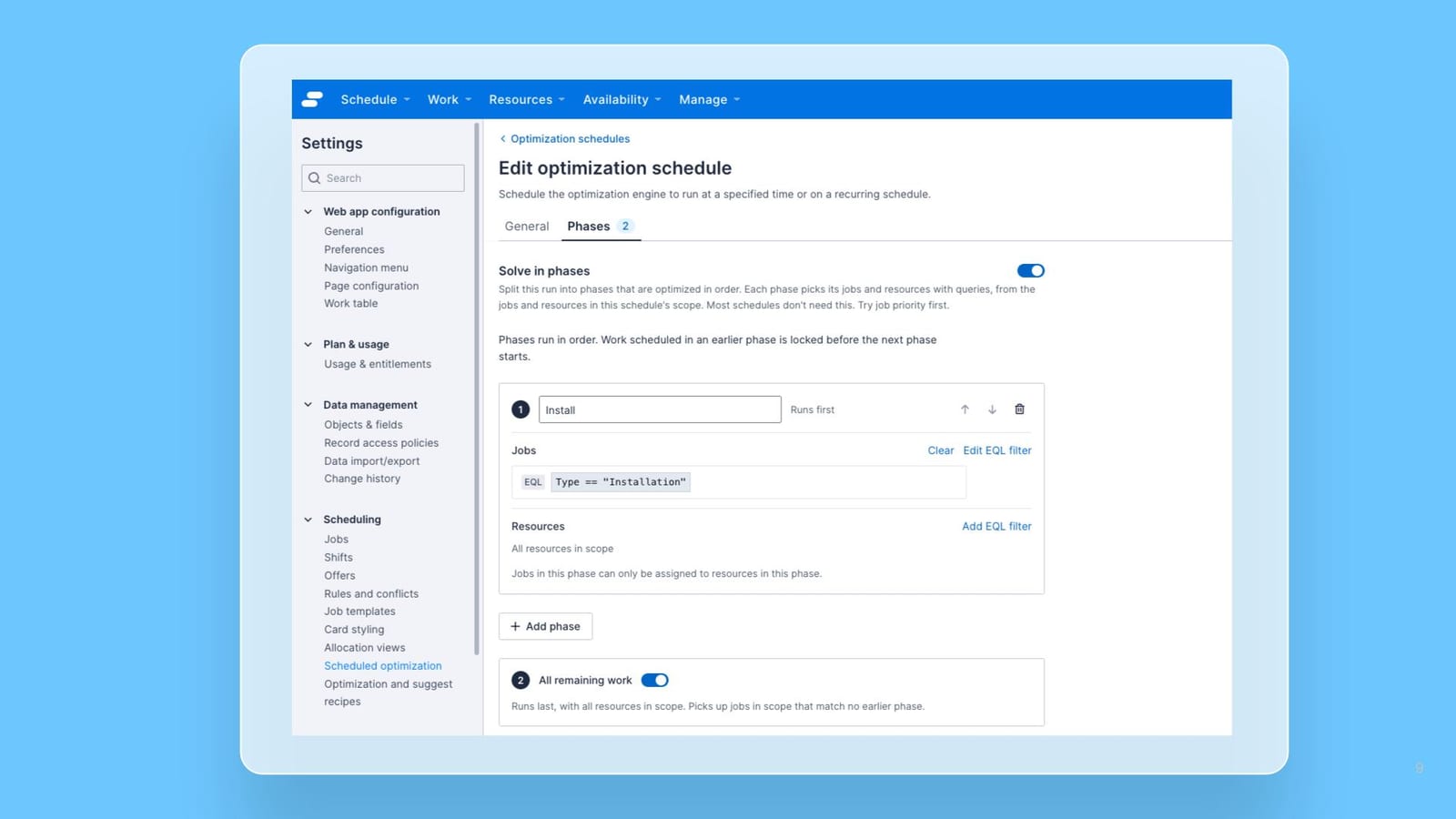


Scheduled optimization runs now support phases, so one scheduled run can replace several separate runs. Each phase is solved in order, and work scheduled in an earlier phase is locked before the next phase starts. Lower-priority work never displaces it.
What's new
- Phase editor: Add, order, and remove phases in the scheduled optimization run settings. Each phase has its own Job query and Resource query.
- All remaining work: An optional final phase picks up any work that no earlier phase selected. Turn it off to leave that work out of the run.
- Scope preview: Check what a scheduled run will include before it runs, with Job and Resource counts for each phase and for any work that falls outside every phase.
- API support: Create, read, update, and reorder a scheduled run's phases through the scheduled optimization API.
Why it matters
Teams that ran optimization several times in a row to enforce priorities, such as critical work first or permanent Resources before contractors, can now do it in a single scheduled run. There are fewer runs to set up and monitor, and one set of results to review.
Things to know
- Earlier phases lock their results, so each extra phase can make the overall schedule less efficient. Use as few phases as you need.
- Phases are not supported in evaluate mode.