




What's new
sked http now sends your saved tenant token to a URL whose host is 127.0.0.1, [::1] or localhost. You can call a connected function that runs under sked function dev without copying a token into the function's .env file or into a -H flag.
Start the function on a known port, then call it:
sked function dev <dir> -p 3000 sked http http://127.0.0.1:3000/ping
New options
sked http command
sked http has a new flag.
- --no-tenant-token sends a request without your saved token.
For all flags and the token rules, see the sked http command reference.
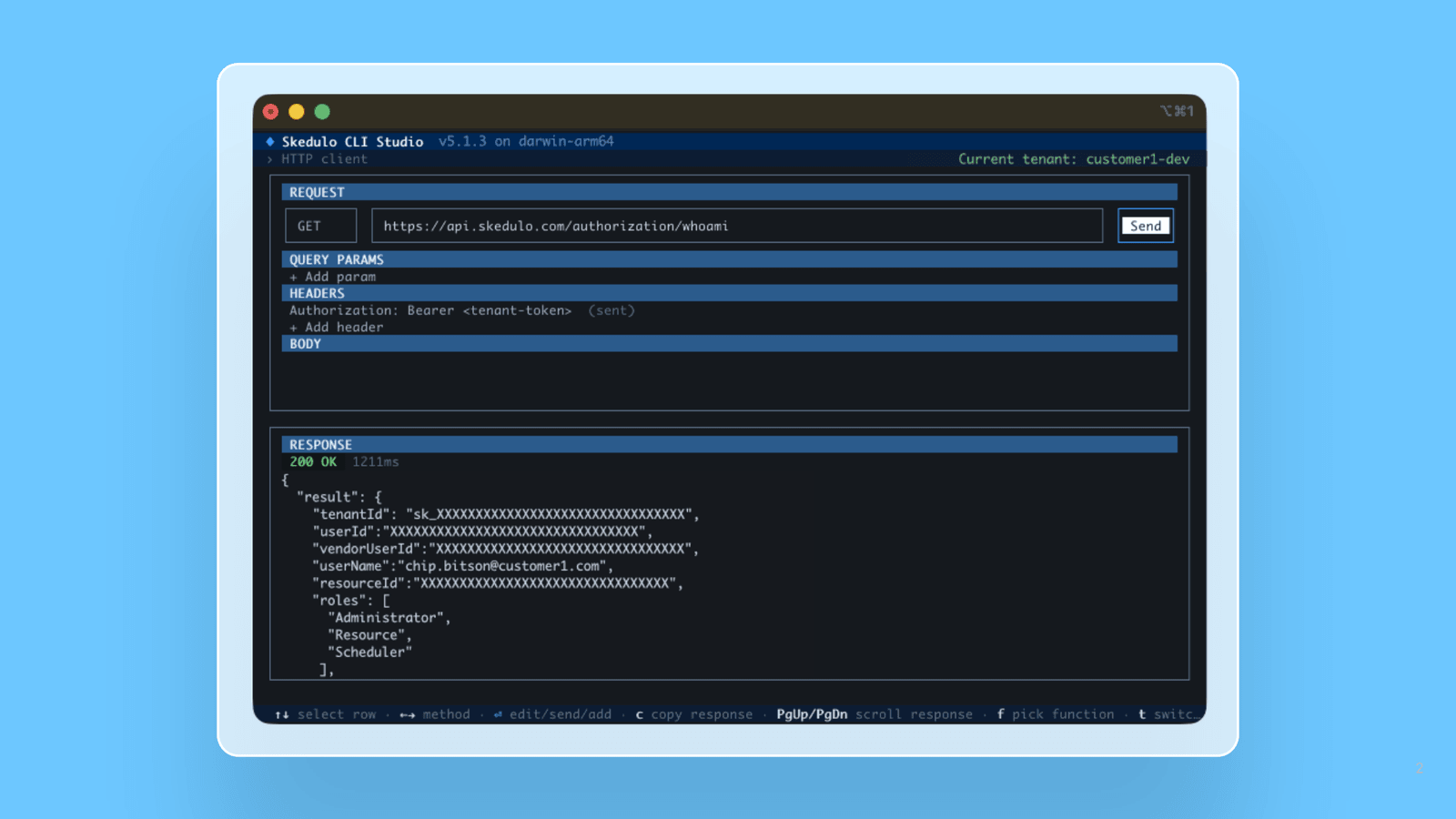
Skedulo CLI Studio HTTP client
The HTTP client shows your token and has two new keys.
A read-only Authorization line in the headers list says whether the screen sends your token. Press a to turn the token off, which does what --no-tenant-token does.
You can now also press t to switch to another saved tenant.
For more information, see HTTP client and Interactive request builder.
Things to know
- If you pass an Authorization header with -H, the command sends it as you typed it and does not attach your saved token.
- The command sends no token to other hosts, including LAN addresses.
- If a script calls a local service through sked http and your saved token has expired, the request now fails.
Update now
These changes ship with version 5.1.4 of the CLI. If you already have sked installed, update it to get access:
sked update
Run sked about afterward to confirm your version.