Release notes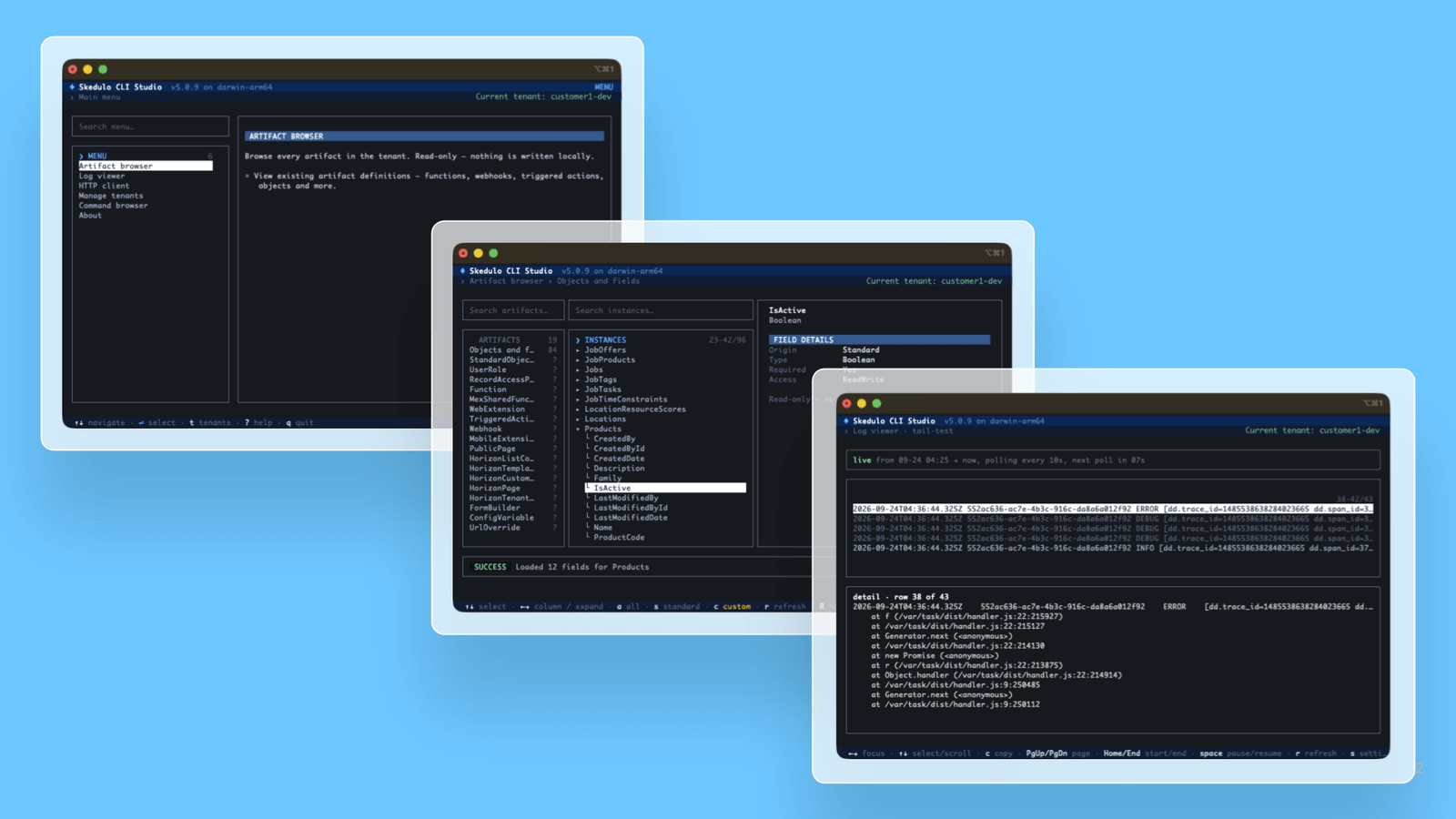
Skedulo CLI v5.1.2 - CLI Studio, logs and http commands
25 September 2026
PlatformAdministratorsDevelopers

What's new
Skedulo CLI Studio is a full-screen, keyboard-driven terminal UI that brings tenant management, artifact browsing, logs, and API testing into one interactive session. Launch it by running sked with no arguments, or sked interactive.
Studio brings five screens into one session:
- Manage tenants: view and switch between stored tenants, log in, or log out, without leaving the terminal.
- Browse artifacts: search artifacts and objects, and inspect full field and schema detail for each one.
- View logs: watch live or historic execution logs for a triggered action, webhook, or function.
- HTTP client: build and send an ad-hoc request to the Skedulo API and inspect the response.
- Browse commands: search every sked command, with usage, flags, and copyable examples.
Press ? on any screen for a help overlay listing that screen's keybindings.
New commands
sked logs and sked http are new commands that you can run in your terminal to fetch logs and make HTTP calls against Skedulo APIs.
- sked logs triggered-action, sked logs webhook, and sked logs function fetch execution logs by name, with time-range, sort-order, and output-to-file options.
- sked logs tail polls a triggered action's, webhook's, or function's execution log in real time, right in your terminal.
- sked logs export batch-exports logs for every artifact of a given type to a directory, one file per artifact.
- sked http sends an authenticated, curl-style request to the Skedulo API without you needing to look up or paste a bearer token.
Update now
CLI Studio and the new log and http commands ship with version 5.1.2 of the CLI. If you already have sked installed, update it to get access:
sked update
Run sked about afterward to confirm your version.