


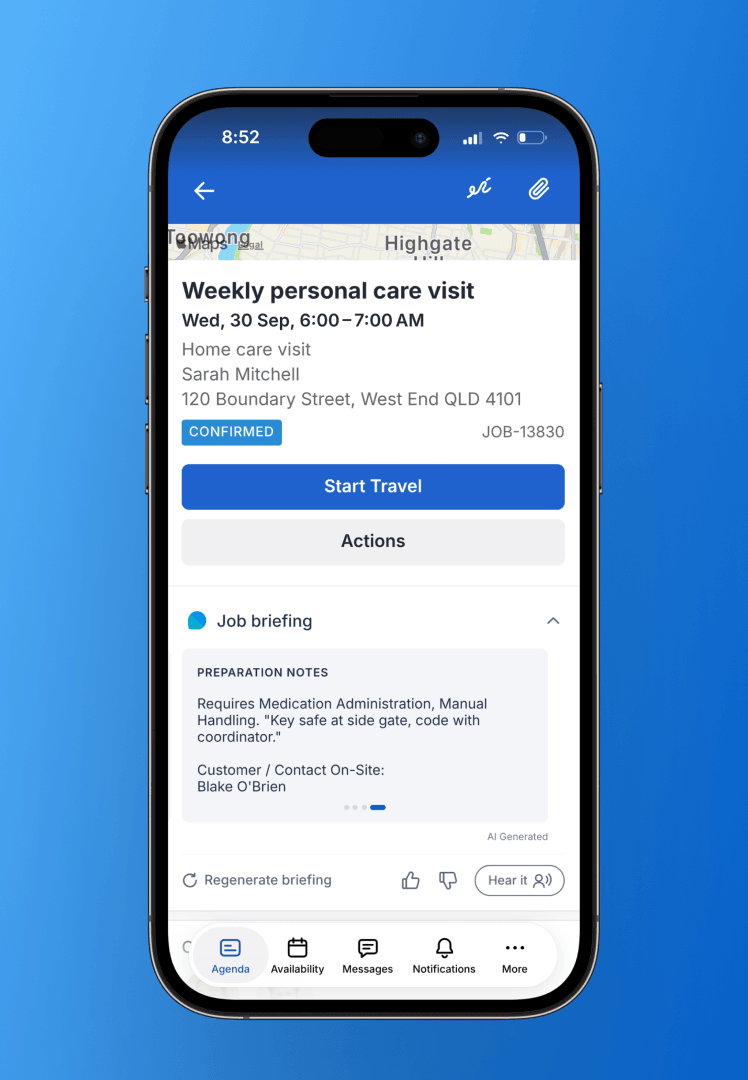


Version 3.26.0 of the Skedulo Plus mobile app gives admins stronger control over app access on personal devices, makes offline mobile forms more forgiving, and continues our stability work on iOS and Android.
What’s new
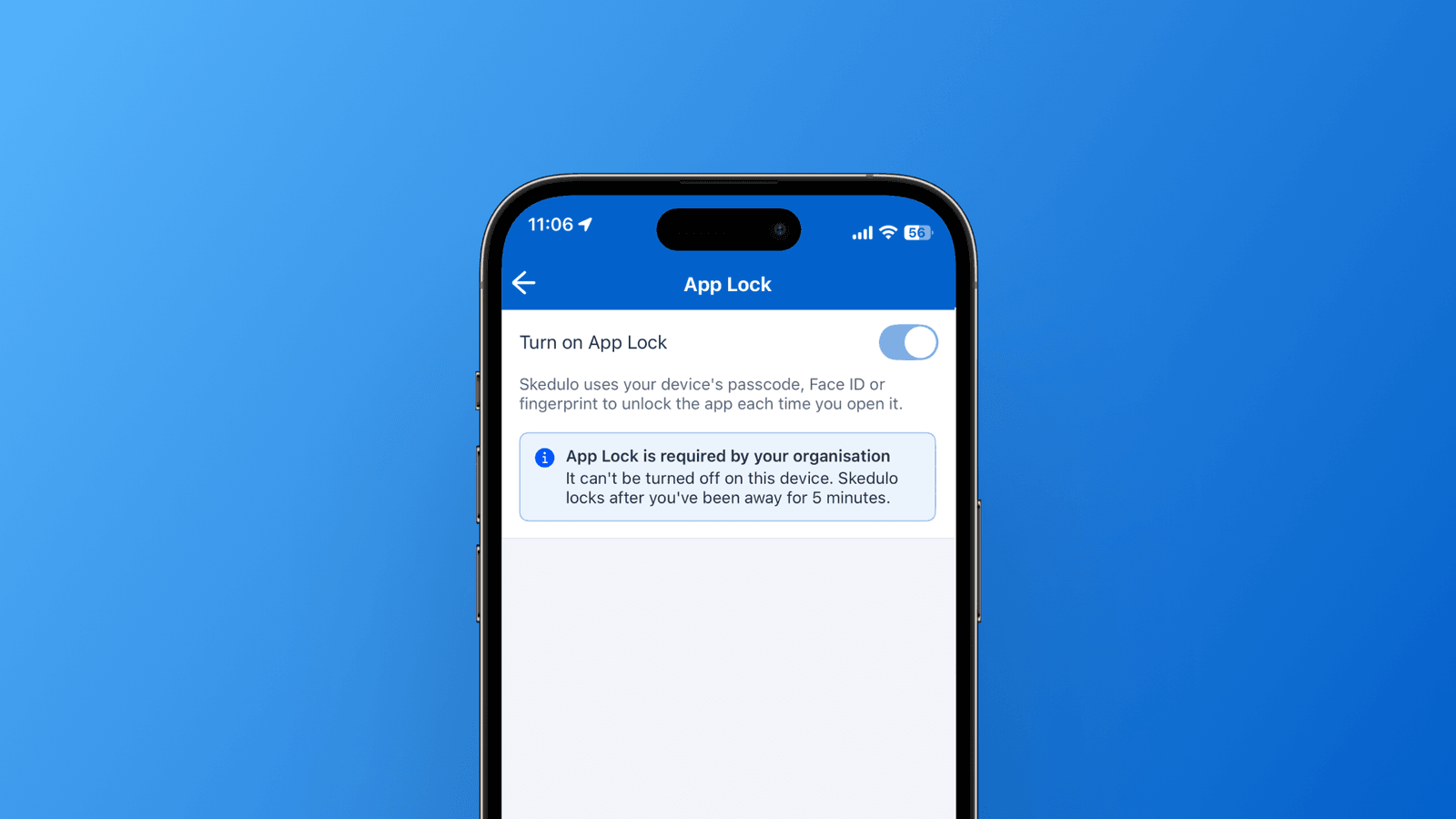
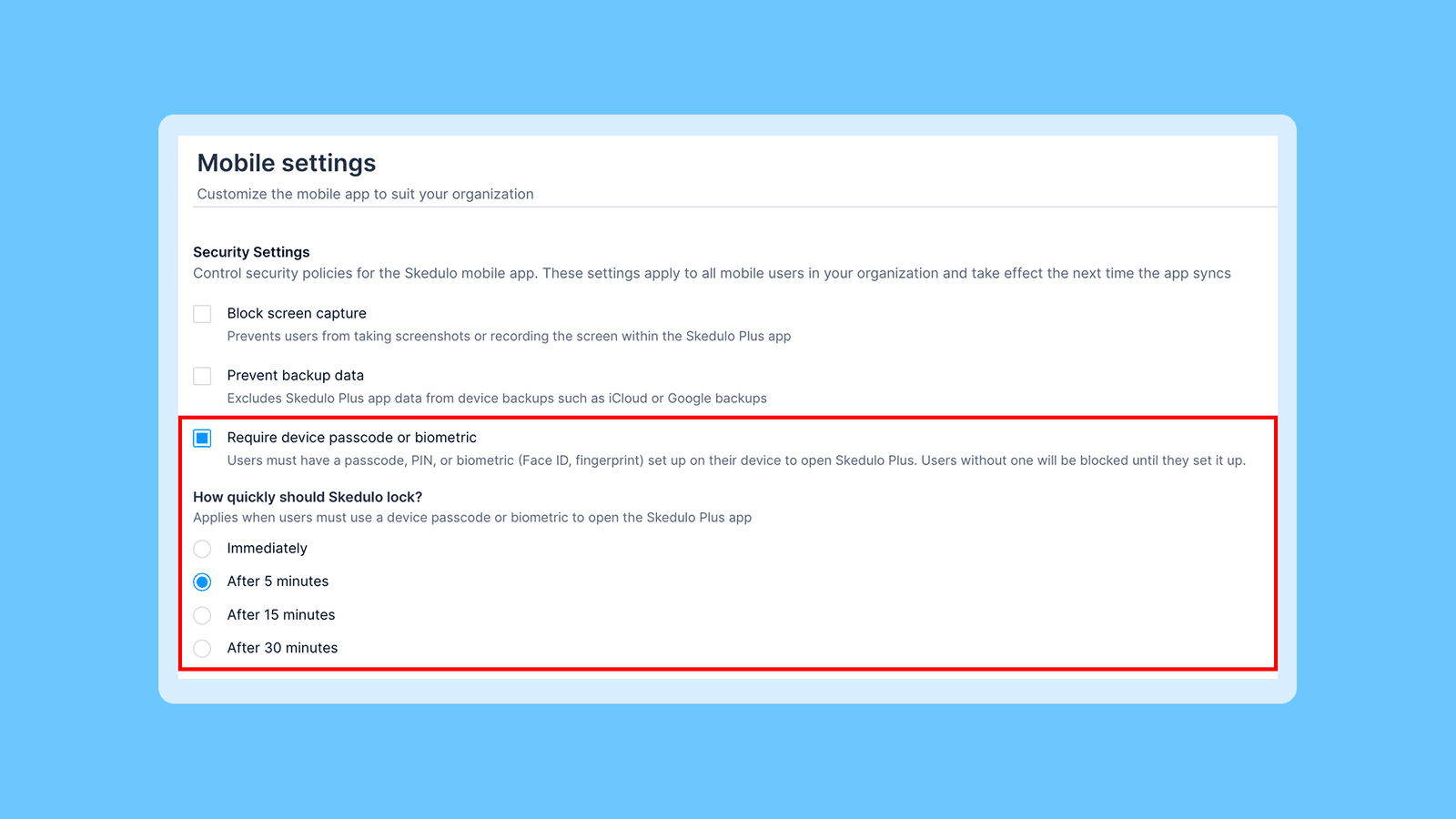
- Enforced App Lock for personal devices. Admins can now require workers to unlock Skedulo Plus with their device PIN or biometrics on iOS and Android. They can also choose how long the app stays unlocked: lock immediately, or after 5, 15, or 30 minutes. This helps protect company data on personal (BYOD) devices.
- Auto-save and crash recovery for offline mobile forms. Mobile forms in offline mode now save progress on the device while the user works. Progress is saved 5 seconds after each change, and again when the user moves between pages or puts the app in the background. If the app is closed or closes unexpectedly, the user can resume or discard their progress when they reopen the form. Resume returns them to the page they were on with their values in place, including records they started but hadn’t added yet. No setup is needed: auto-save is on for all forms in offline mode. Saved progress stays on the device and is only used to resume the form. Users still need to tap Save on the first page of the form to submit their data.
- Field limit checks when saving form records. Mobile forms now check text against the field’s character limit before a record is saved. If a value is too long, the user sees an error on that field and can fix it right away. This check also works offline. Before this release, the error only showed up during sync, which blocked the whole submission and gave the user no way to fix it. If a field’s limit isn’t known, the form saves as it did before.
- New Job Briefing AI Job Summary (Beta). AI Job Summary now appears in the new Job Briefing layout. Job Briefing is currently in Beta. If you’d like to join the Beta program, contact your Customer Success Manager.
- Improved stability and performance. On Android, we fixed crashes caused by network failures, signature storage errors, Android 16 back gestures, and saving large custom forms. On iOS, the app uses less memory, loads locations and responses faster, and recovers more reliably after long periods offline.