Release Notes
This page contains announcements and updates for all the latest updates to Skedulo products
- 14 Mar
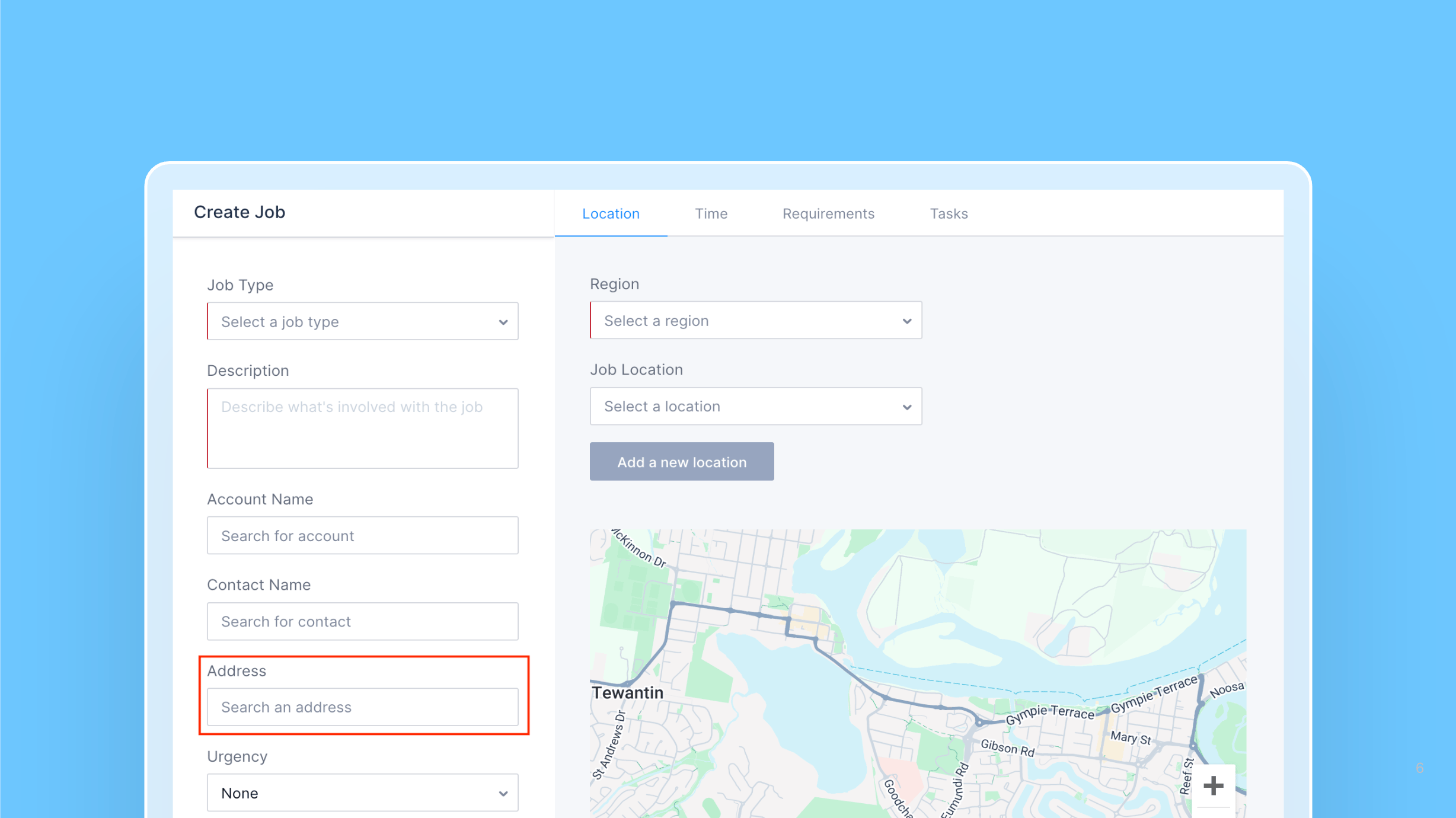
Address field optional when creating work
When creating jobs via the web app’s create job or swimlane screen, the address field can be configured to be optional.
 Web AppSchedulers

- 7 Mar
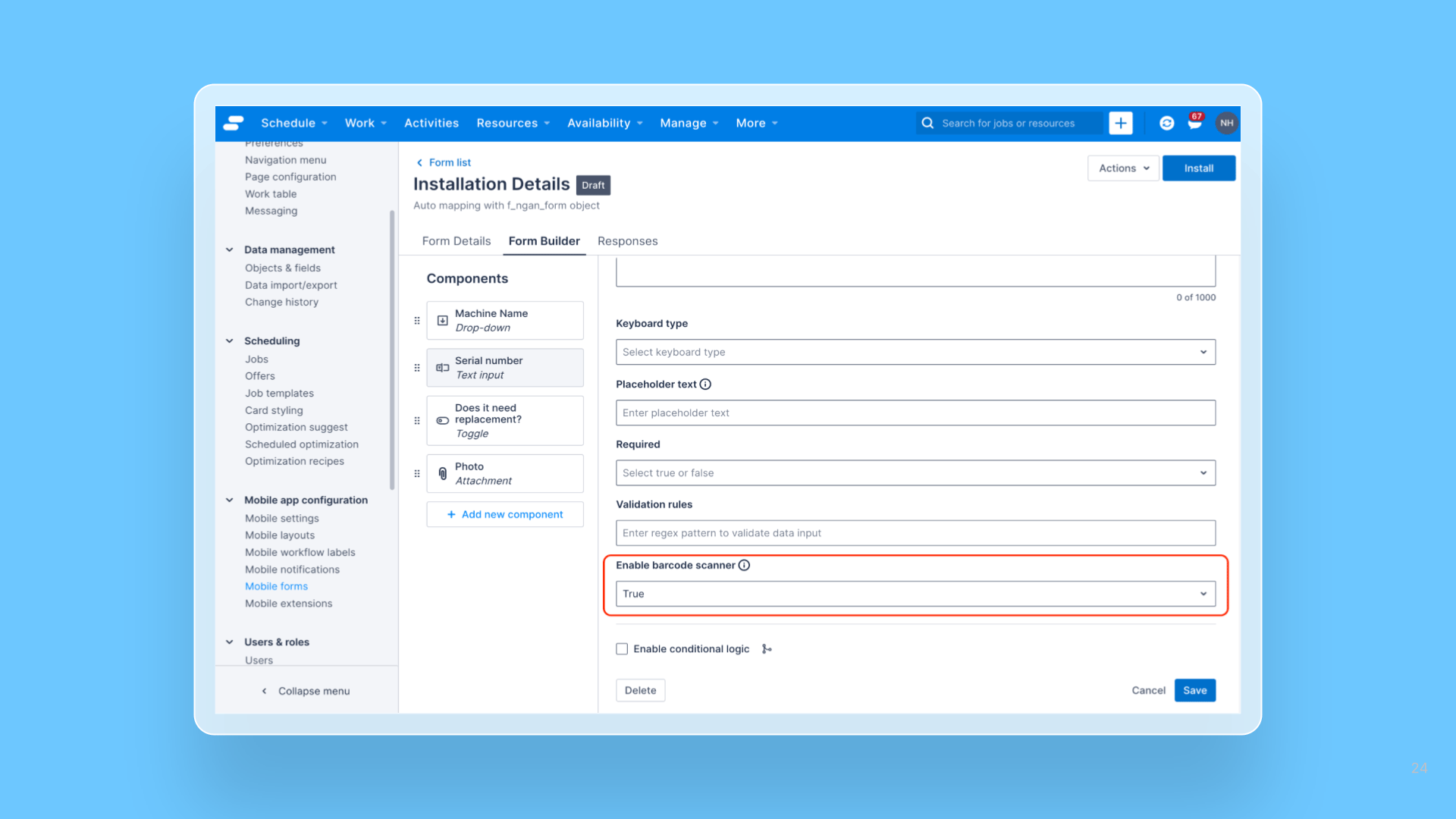
Form Builder – Barcode and QR scanner support in text components
Mobile users can now use the barcode scanner to capture data faster and more accurately in mobile forms built by the form builder.
 Mobile AppAdministrators
 - 6 Mar
Changes to Node.js version support for functions
We have added support for Node.js v22 to functions and are announcing dates to end of support for v16 and v18.
PlatformDevelopers - 28 Feb
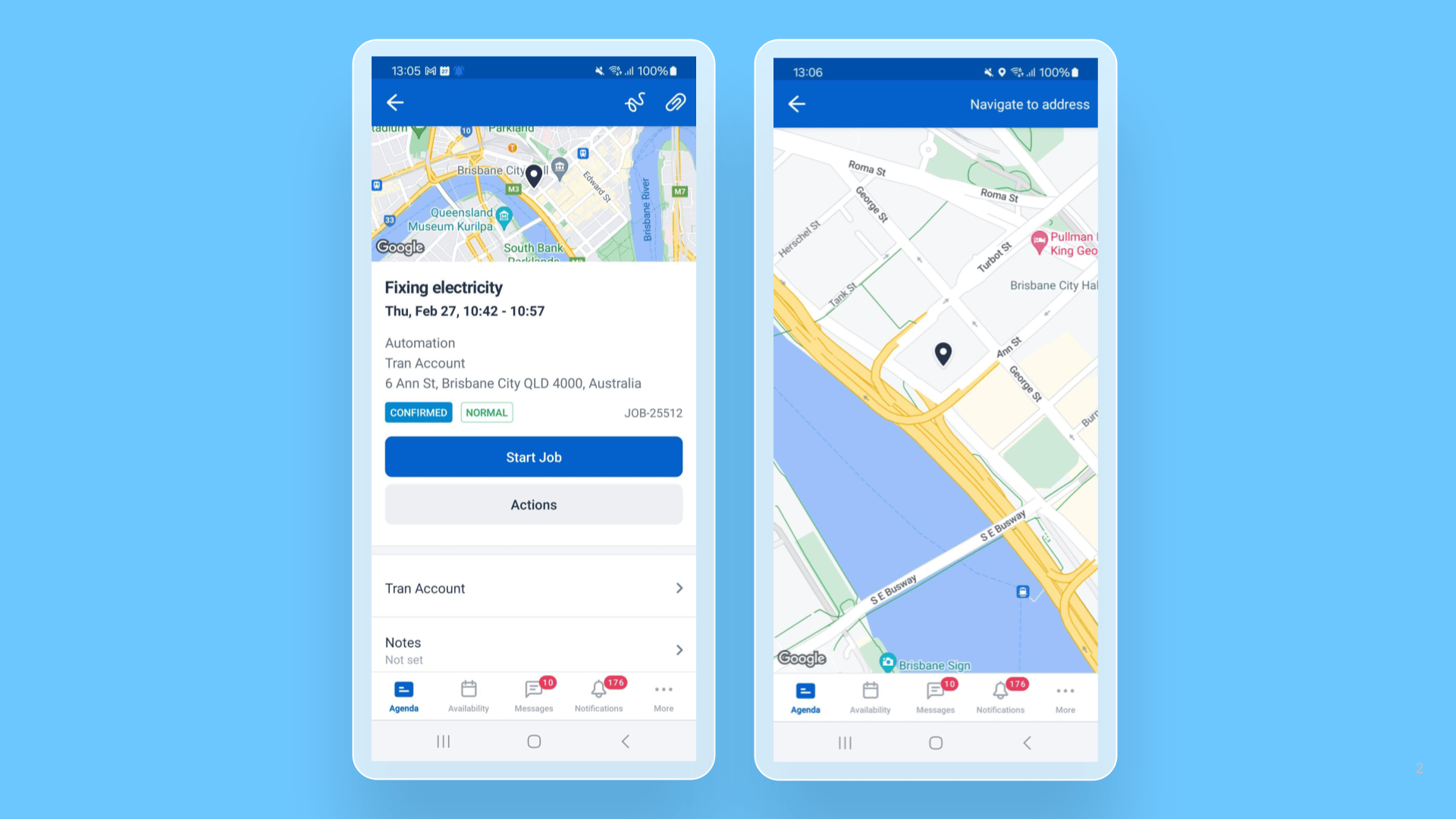
Skedulo Plus – Map on the job details screen is now expandable
Skedulo Plus users can now expand the map on the job details screen to interact with it more easily in full-screen mode.
 Mobile AppMobile Users
 - 27 Feb
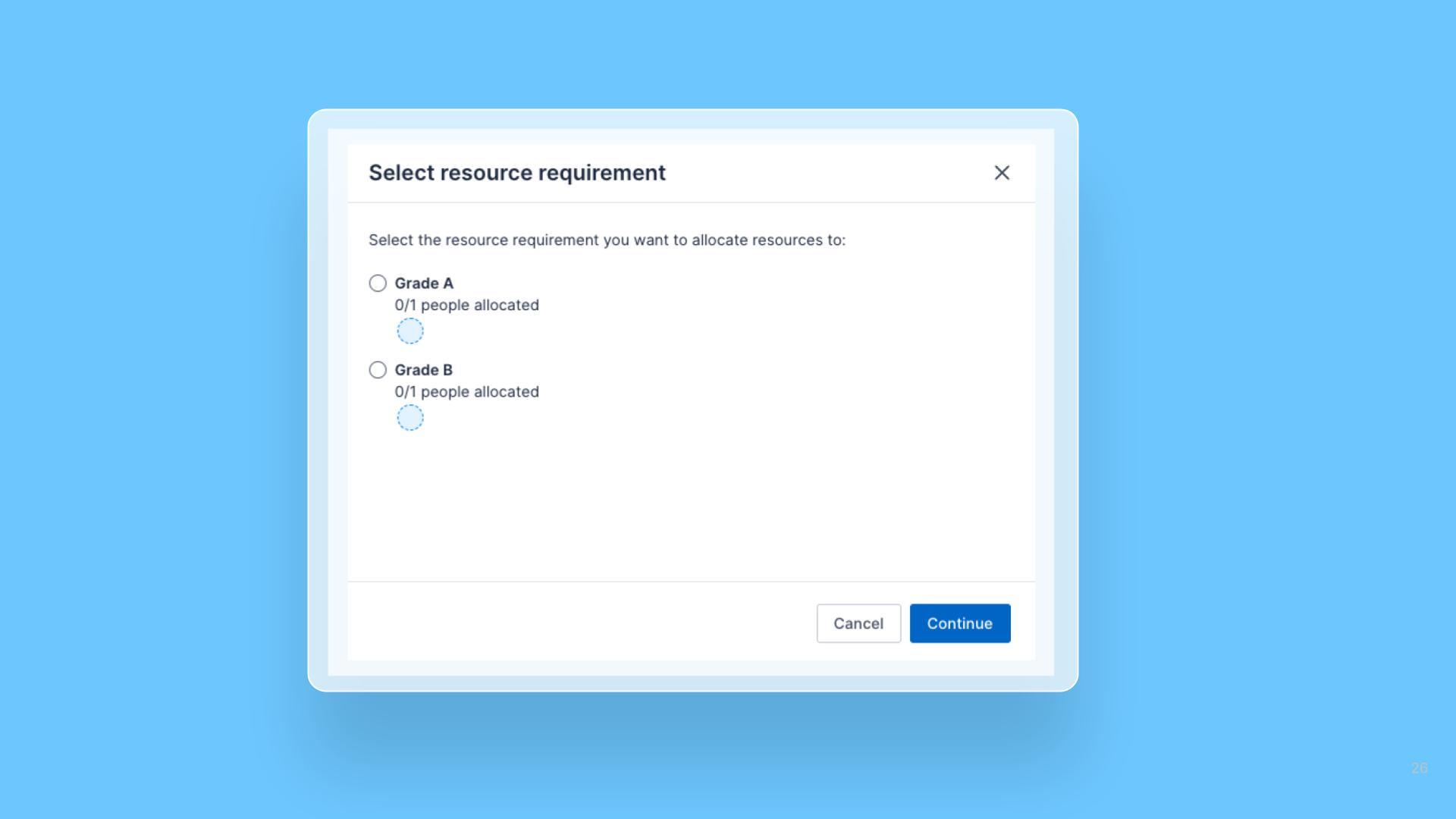
Multiple resource requirements in the Pulse Allocation Experience
For work items with multiple resource requirements, schedulers are now prompted to select the relevant job requirement when allocating resources, ensuring accurate assignments.
 Web AppSchedulers
 - 20 Feb
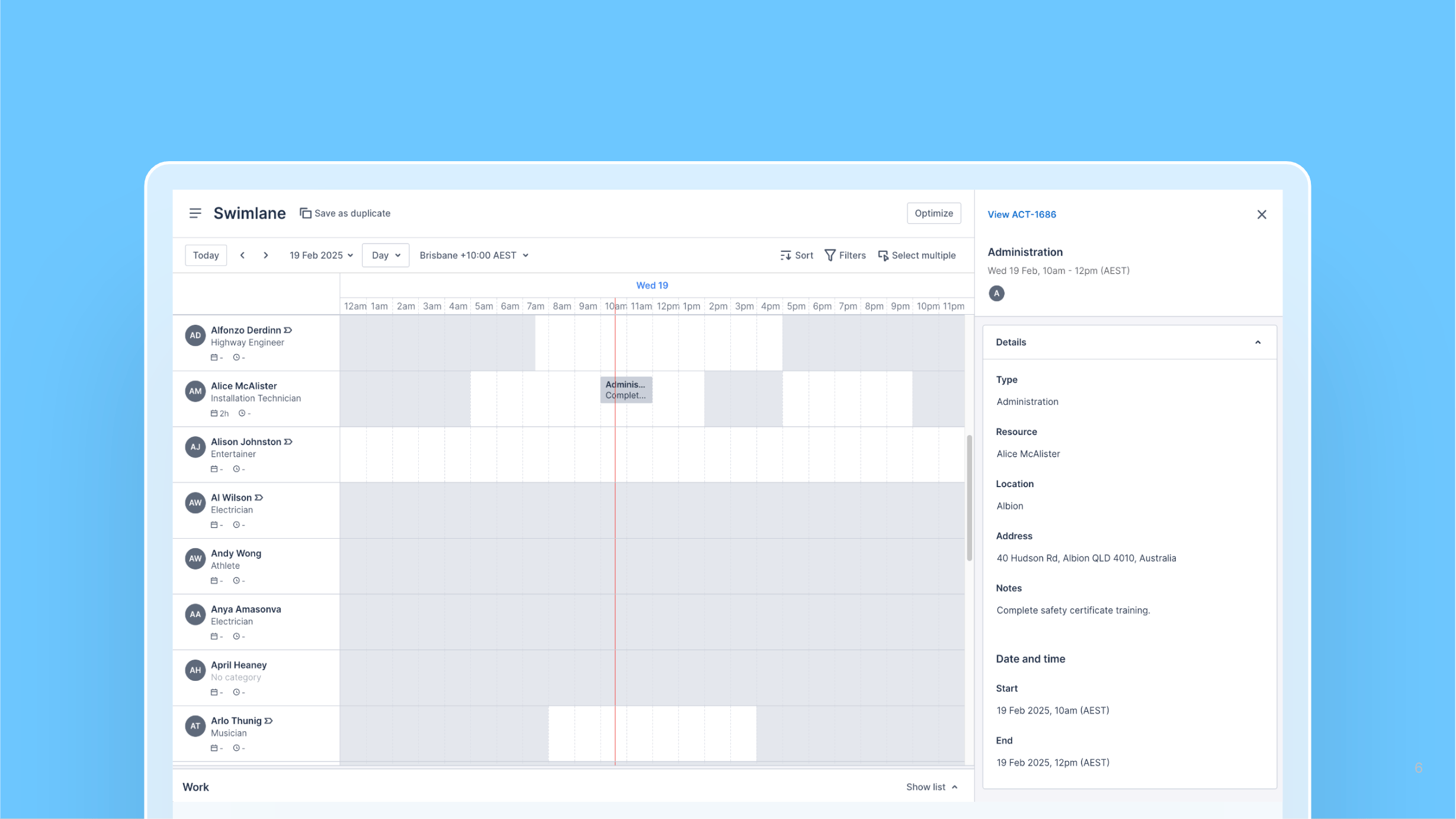
View activity details in the Swimlane
The new activities context panel lets schedulers view the details of an activity in the Pulse Swimlane.
 Web AppSchedulers
 - 18 Feb
Aged Care and Disability v3.2 is now available
This release includes a number of targeted bug fixes to enhance overall performance.
 Aged Care and Disability (ACD)Healthcare PackagesAdministratorsSchedulers
 - 18 Feb
AU Healthcare + 2cloudnine Integration v3.3 is now available
This release includes a number of targeted bug fixes to enhance overall performance.
 AUHC + 2cloudnine (sage)Healthcare PackagesAdministratorsSchedulers
 - 18 Feb
AU Healthcare + Employment Hero Integration v3.2 is now available
This release includes enhancements and targeted bug fixes to improve overall performance and functionality.
 AUHC + Employment Hero (KPAI)Healthcare PackagesAdministratorsSchedulers
 - 18 Feb
AU Healthcare v3.12 is now available
This release adds notification controls to send emails to originators only, improves roster publishing speed via batch size adjustment, implements a value set for cancellation reasons, and fixes several Healthcare package access and UI issues.
 AU Healthcare (Healthcare)Healthcare PackagesAdministratorsSchedulers